Philips 4300 Series review: eight one-touch drinks, two saved profiles and a display that shows you exactly what you're getting
The Philips 4300 Series Fully Automatic Espresso Machine makes eight coffees at one touch, from ristretto to café au lait, with the easy-clean LatteGo milk jug. Its color display shows real volumes as you adjust them, two profiles remember each person's drinks, and descaling is guided step by step. Milk drinks take a while, and the milk rinse is too easy to forget.

Michael Reynolds
Hands-on review
Hands-on testing, research, specs
4 weeks
22 minutes
Jargon helpNew to espresso? Tap any dotted term to see what it means.
In this review
Yes, especially for a first automatic machine in a household with two regular coffee drinkers. The Philips 4300 Series puts eight drinks on the front panel, shows you strength and volume in plain numbers, and saves each person's favorites. The LatteGo jug is simple to clean, and descaling is guided on screen. The extra shot only works on black coffees, milk drinks took me almost three minutes including cleanup, and the machine doesn't prompt you to rinse the milk system.
Philips 4300 Series at a glance
Philips 4300 Series pros and cons
- Eight one-touch drinks, including ristretto and café au lait
- Display shows real volumes; two saved profiles plus guest
- Easy LatteGo jug and step-by-step descaling
- Extra shot is not available for milk drinks
- Milk drinks take almost three minutes with cleanup
- No clear prompt to rinse the milk system
Who should buy the Philips 4300 Series?
- First-time automatic espresso machine owners
- Two people who each want their own saved drinks
- Households that drink both black coffee and milk drinks
- Cappuccino lovers who want an extra shot at one touch
- People in a hurry for milk drinks
- Owners who want zero manual maintenance
First impressions of the Philips 4300 Series
The first automatic espresso machine you own sets the tone for how much you'll enjoy coffee at home.
If it's confusing, you'll end up pressing the same button every day.
If it's clear, you'll actually try the drinks it offers.
The Philips 4300 Series is firmly in the second camp.
It's a step up from Philips' entry machines, with eight drinks on the front panel, a color display and two user profiles.
Out of the box, it looked more polished than the cheaper Philips models I tested.
The front has a silver finish, the drip tray is stainless steel, and the display is bright and easy to read.
The body is still mostly plastic, but it feels solid.
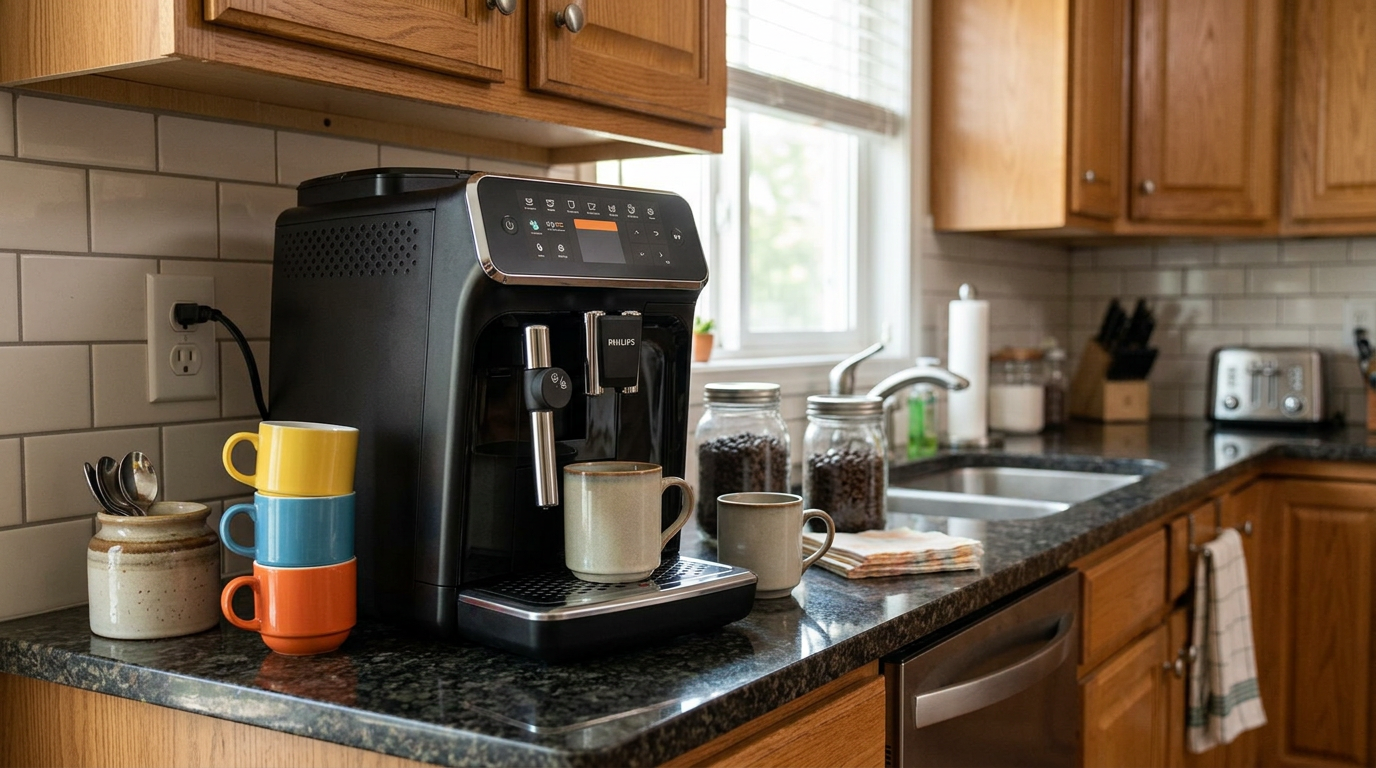
Alex had a latte macchiato in his hand about twenty minutes after we opened the box.
By the end of the first evening, we had each saved our own profile and tried every drink on the menu.
That's the 4300 in a sentence: very easy to get into, and it rewards you for exploring.
The LatteGo jug and a latte macchiato: our most-made drink during the test.
What the Philips 4300 Series actually is
The 4300 is a fully automatic, bean-to-cup espresso machine with Philips' LatteGo milk system.
It grinds, doses, brews and froths milk for you, and drops the used puck into a drawer.
It sits in the middle of the Philips range: more drinks and more control than the 2200 to 3200 models, without the price of the flagship machines.
The eight drinks
| Drink | What it is | Milk? |
|---|---|---|
| Espresso | Short, pressurized coffee | No |
| Ristretto | Shorter, more concentrated espresso | No |
| Coffee | Long coffee brewed under pressure | No |
| Americano | Espresso topped with hot water | No |
| Caffè crema | Longer, milder coffee with a crema layer | No |
| Cappuccino | Coffee with a thick layer of foam | Yes, LatteGo |
| Latte macchiato | Mostly milk, coffee poured through it | Yes, LatteGo |
| Café au lait | Coffee and hot milk in roughly equal parts | Yes, LatteGo |
There's also hot water for tea.
What's in the box
The US model includes an AquaClean filter, a measuring scoop, a water hardness test strip, a tube of grease for the brew group and a storage lid for the LatteGo jug.
Our tip: Set up your two profiles on day one, before anyone gets used to changing the default drinks.
Philips 4300 Series design and setup
The Philips 4300 Series measures about 24.6 × 37.1 × 43.3 cm, or 9.6 × 14.6 × 17 inches.
That's the same compact footprint as Philips' cheaper machines, even with the bigger display.
Materials
The silver-painted front and the stainless drip tray give it a more grown-up look than the all-black entry models.
The sides and top are plastic.
Nothing creaked or rattled during the test.
Setup
Setup is guided on the display, which made it the easiest Philips setup I did.
The screen walks you through filling the tank, adding beans, fitting the AquaClean filter and setting the water hardness.
Then the machine primes and rinses itself.
As always, pour away the first few drinks while the grinder settles.
Our tip: Pick your language and switch on the eco auto-off time in settings right away, so the machine does not sit hot all morning.
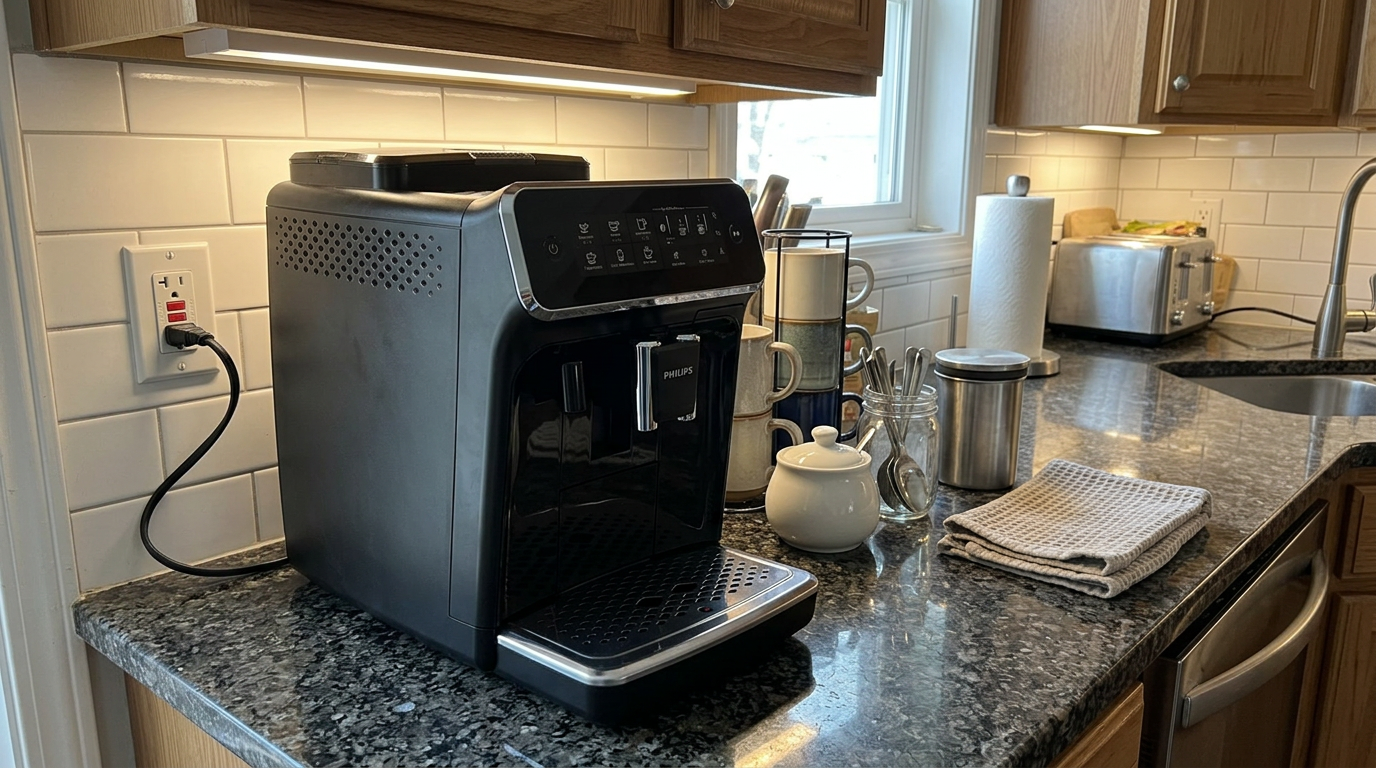
On a dark counter, the silver front of the 4300 stands out nicely.
The control panel and display
The control panel is the 4300's biggest strength.
All eight drinks have their own button on the front, so there's no hunting through menus.
When you press a drink, the display immediately shows its settings: strength, coffee volume and, for milk drinks, milk volume.
You adjust them right there, before you press start.
Real volumes, not just bars
This is the detail I liked most.
When you change the coffee or milk quantity, the display shows the actual volume in milliliters.
Instead of guessing what three bars means, you know you're getting, say, a 40 ml espresso or a 150 ml coffee.
That made it easy to repeat a drink exactly, and to compare settings.
Confirming a drink
For a black coffee, you press the drink, check the settings and press start.
That extra confirmation step is quick, and it stopped me from accidentally brewing with someone else's settings.
Our tip: Look at the volume number on the display, not the cup size icon, and write down the volumes you like so you can recreate them on any profile.
User profiles
The Philips 4300 Series has two user profiles plus a guest profile.
Each profile saves its own version of every drink: strength, coffee volume and milk volume.
In our house, that solved a real problem.
I like a short, strong espresso and a cappuccino with less milk.
Alex likes a milder coffee and a big latte macchiato.
With profiles, we each tapped our name and pressed the drink, and the machine remembered the rest.
The guest profile lets visitors adjust a drink without overwriting anyone's saved settings.
The limits
Two profiles is fine for a couple, but tight for a family of four.
You can't rename the profiles freely or add more users, which some pricier machines allow.
| Profile | Espresso | Cappuccino | Latte macchiato |
|---|---|---|---|
| Mine | Strongest, smallest volume | Strong, less milk | Rarely used |
| Alex's | Medium strength | Medium | Medium strength, more milk |
| Guest | Default | Default | Default |
How fast it makes each drink
I timed the 4300 from a cold start and during normal use.
Measured with a stopwatch. The cappuccino time includes fitting the jug, brewing, the milk rinse and putting the jug back in the fridge.
A black coffee in under two minutes from switching on is reasonable, though not class-leading.
Milk drinks take noticeably longer in practice.
That's not because the machine is slow to froth, but because there are more steps: check the milk, clip on the jug, brew, rinse, and put the jug back in the fridge.
The steps for a milk drink
| Step | Black coffee | Milk drink |
|---|---|---|
| Switch on and wait | Yes | Yes |
| Place cup and choose drink | Yes | Yes |
| Check and attach the milk jug | No | Yes |
| Adjust strength and volume | Optional | Optional |
| Run the milk rinse | No | Yes |
| Store the jug in the fridge | No | Yes |
Our tip: Keep the LatteGo jug in the fridge, already filled and lidded, so a cappuccino is just clip on, press and rinse.
Dialing in the grinder
The grind knob sits inside the bean hopper, as on every Philips machine I tested.
Turn it only while the grinder is running, one click at a time.
Wait two drinks before judging, because some old grounds are still in the chute.
With a medium-dark blend, I ended up two steps finer than the default for espresso and ristretto.
For the caffè crema, I liked one step coarser, because the longer drink otherwise tasted slightly bitter at the end.
Since there's only one grinder, I picked a middle ground for most of the test and used the strength and volume settings to fine-tune each drink.
From my notes with a medium-dark blend.
Our tip: Only change the grind when the hopper is half full or less, because a full load of beans pressing on the knob makes it stiff.
Espresso and black coffee
The 4300 grinds with 100% ceramic burrs✕Ceramic burrsGrinding plates made of ceramic instead of steel. They wear slowly and stay cool, which helps keep the coffee's aroma intact during grinding. with 12 settings, which Philips rates for about 20,000 cups.
It has five aroma strength levels, two more than the 3200 Series.
Espresso and ristretto
With a fresh medium-dark blend on the strongest setting and a small volume, the espresso was smooth and pleasantly rich.
The ristretto✕RistrettoAn even shorter espresso, brewed with less water. It tastes more concentrated and sweeter, with less bitterness. button gave me a shorter, more concentrated shot that suited my taste better.
Neither matches the thick body of a café espresso, but both were a clear step up from the default espresso on Philips' entry models.
Coffee, Americano and caffè crema
The coffee button makes a long, mellow cup with a light crema.
The Americano adds hot water to an espresso, for a cleaner, lighter drink.
Caffè crema✕Caffè cremaA longer coffee brewed through the espresso system, milder than espresso and topped with a layer of crema. sits in between: a long, smooth coffee with crema on top.
It can taste thin if the grind is fine-tuned for espresso, so I went one step coarser when I made it often.
| Drink | Taste in my tests | Best setting I found |
|---|---|---|
| Ristretto | Most concentrated, sweet | Strongest aroma |
| Espresso | Smooth, rich enough | Strongest aroma, small volume |
| Americano | Clean, light | Strong aroma, medium water |
| Caffè crema | Mild, round, crema on top | Medium aroma, one step coarser grind |
| Coffee | Mellow, mug-friendly | Strong aroma, medium volume |
Extra shot
The extra shot button adds another espresso to a black coffee, for more strength and caffeine.
It's handy for Americanos and big mugs.
LatteGo and the milk drinks
The LatteGo jug clips onto the front of the Philips 4300 Series.
There are no tubes: you fill the jug with cold milk, clip it on and choose cappuccino, latte macchiato or café au lait.
Steam pulls the milk into the jug's frothing chamber, mixes in air and pours the foam into your cup.
How the drinks turned out
The cappuccino had a thick, creamy cap of foam.
The latte macchiato poured in clean layers in a tall glass.
The café au lait was softer and milkier, with less foam, which suited a breakfast mug.
The foam is automatic, so it isn't the glossy microfoam✕MicrofoamMilk foam with bubbles so small you can't see them. It feels silky and blends into the coffee instead of sitting on top like froth. you'd pour latte art with, but it was consistent and pleasant every time.
My scores out of 10.
The missing extra shot
Here's the frustrating part.
The extra shot only works on black coffees.
If you want a stronger cappuccino, you have to make the cappuccino and then brew a separate espresso on top.
That works, but it adds another cycle and more time.
Our tip: For a stronger cappuccino, set your profile's cappuccino to the highest strength and lowest milk volume before reaching for a second espresso.
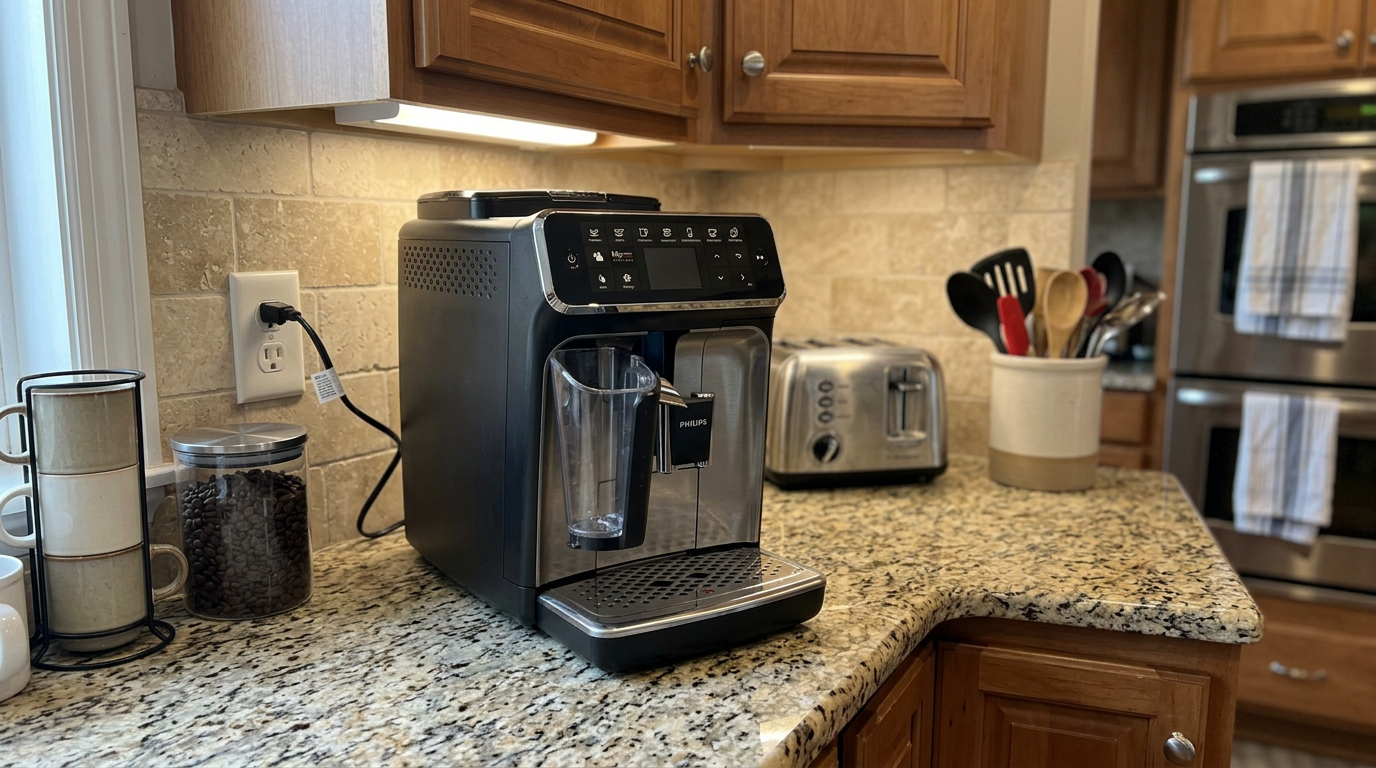
The adjustable spout fits everything from espresso cups to tall latte glasses.
My favorite drinks and the exact settings
The display shows real volumes, so I can share the exact settings that worked for us on the Philips 4300 Series.
Your beans and taste will differ, but these are good starting points.
| Drink | Strength | Volume | Notes |
|---|---|---|---|
| Morning ristretto | Strongest | Smallest | Warm the cup first |
| Espresso | Strongest | Small | Grind 2 steps finer than default |
| Americano with extra shot | Strong | Medium water | My afternoon favorite |
| Breakfast coffee | Medium | Medium to large | Alex's daily mug |
| Cappuccino | Strongest | Less milk | Fuller coffee taste |
| Latte macchiato | Medium | More milk | Tall glass, clean layers |
| Café au lait | Medium | Medium milk | Soft, comforting, big mug |
A stronger cappuccino without the extra shot
Raise the strength to the top level and lower the milk volume a notch.
If that's still not enough, brew a ristretto into the cup first, then run the cappuccino on top.
Iced latte
There's no iced drink button.
Brew a ristretto into a glass, let it cool for a minute, add ice and cold milk.
The short, concentrated shot holds up better against the ice than a long coffee.
General milk guidance. LatteGo drinks sat comfortably in the middle band in my tests.
Our tip: Save your favorite drink to your profile right after you get it right, so you never have to rebuild it from memory.
Temperature settings
The 4300 has three brewing temperatures: low, medium and high.
You change it in the settings menu, which takes a few taps.
I kept it on high for espresso and ristretto, which made them noticeably hotter in a warm cup.
Alex preferred medium for long coffees, which he found easier to drink straight away.
Relative heat and extraction, from my tasting notes.
Remember that a cold cup and lots of milk both cool the drink, whatever the setting.
Pre-ground coffee and hot water
The pre-ground coffee✕Pre-ground bypassA separate chute that sends already-ground coffee straight to the brew unit, skipping the grinder. Handy for decaf without emptying the bean hopper. chute lets you brew decaf without changing the beans in the hopper.
Choose the ground coffee option, add one level scoop with the included measuring scoop and select your drink.
Use only one scoop at a time, and brush the chute clean regularly so old powder doesn't go stale inside.
The hot water option is handy for tea and for warming cups before espresso.
I used it most mornings to heat my ristretto cup.
Our tip: Run a little hot water into your espresso cup while the machine grinds, then tip it out just before the shot lands.
Cleaning and maintaining the Philips 4300 Series
The 4300 has a dedicated maintenance menu, which makes cleaning less of a guessing game.
LatteGo
The jug comes apart into three pieces, with no tubes or hidden channels.
Each piece is easy to see into and scrub, and they're dishwasher-safe.
The milk rinse you have to remember
This was my biggest complaint.
After a milk drink, the 4300 doesn't flash a button or clearly prompt you to rinse the milk system.
You have to go through a few menu steps to start it yourself.
In the first week, we forgot it twice.
For beginners in particular, that's an easy way to let milk residue build up.
Guided descaling
Descaling✕DescalingRunning a mild acid solution through the machine to dissolve mineral scale left by hard water. Scale slows heating and can block pipes. is guided step by step on the display.
Philips says it takes about 30 minutes, and most of that is waiting.
The screen tells you exactly when to fill the tank, when to empty the tray and when to rinse.
With the AquaClean filter replaced when prompted, Philips says you can go up to 5,000 cups between descales.
The brew group
The brew group✕Brew groupThe part inside an automatic machine that receives the ground coffee, presses it into a puck, pushes hot water through it and then ejects the used grounds. comes out from the side for rinsing.
It was easy to remove every time, without having to worry about its position after shutdown.
It does need a thin layer of the included grease on its moving parts periodically.
| When | Task | Why it matters |
|---|---|---|
| After milk drinks | Run the milk rinse, jug in fridge | Stops milk residue |
| Daily | Empty drip tray and grounds, wash LatteGo | Hygiene and odors |
| Weekly | Rinse the brew group, clean the tank | Coffee oils |
| Every 2 months | Grease the brew group | Smooth movement |
| When prompted | Guided descale or new AquaClean | Protects the heater |
My estimate of hands-on cleaning time per day.
Our tip: Do the brew group rinse on the same day you descale or change the filter, so all the maintenance happens in one go.
What daily use is really like
Our mornings with the Philips 4300 Series were calm and predictable.
Tap your profile, press your drink, start.
I usually had a ristretto, then an Americano with the extra shot later.
Alex made a latte macchiato, then rinsed and put the jug back in the fridge.
The 1.8-liter tank lasted us about two days.
Rough maths from a 1.8 L tank, allowing for rinses.
Noise
The grinder is a short, firm burst, and the milk frothing is a steady hiss.
Both are normal for this kind of machine.
Small annoyances
The milk rinse needs to be remembered.
The extra shot doesn't work for milk drinks.
And with only two profiles, our weekend guests always used the guest slot.
Four weeks with the 4300, week by week
Week 1: exploring
We tried all eight drinks in the first two days and saved our profiles.
The display made it easy to see what each change did.
We forgot the milk rinse twice.
Week 2: dialing in
I moved the grind two steps finer and set espresso and ristretto to the strongest aroma.
Alex settled on a latte macchiato with more milk.
Week 3: the routine
The milk rinse became a habit.
The extra shot on the Americano became my afternoon favorite.
Week 4: the first descale
The guided descale took just over half an hour, mostly waiting, and the screen told us every step.
Nothing broke or rattled, and the drinks tasted as good as in week two.
Our combined feeling about the machine, from our shared notes.
Beans, water and milk
Fresh, medium to medium-dark beans worked best on the 4300.
The ristretto loved a chocolatey blend, while the caffè crema was nicer with a medium roast.
Avoid very oily or flavored beans, which can clog the grinder.
| Bean type | Ristretto and espresso | Long drinks | Milk drinks |
|---|---|---|---|
| Medium-dark blend | Best | Good | Excellent |
| Medium roast | Good, brighter | Best | Good |
| Light roast | Can be sour | Fair | Fades in milk |
| Oily or flavored | Avoid | Avoid | Avoid |
Water and milk
Use fresh, cold water, set your water hardness and keep the AquaClean filter in.
Cold whole milk gave the creamiest foam, and barista oat milk was the best plant option.
Our tip: Grind one step coarser when you switch to caffè crema for a few days, because the longer drink can taste thin with a fine espresso grind.
Common mistakes to avoid
| Mistake | What happens | Better habit |
|---|---|---|
| Forgetting the milk rinse | Milk residue builds up | Rinse after every milk drink |
| Using another person's profile | Wrong strength and volume | Check the name before pressing start |
| Expecting extra shot in a cappuccino | Option is missing | Raise strength, lower milk instead |
| Leaving milk in the jug on the counter | Spoiled milk | Store the jug in the fridge |
| Skipping brew group grease | Stiff, noisy movement | Grease every couple of months |
| Grinding fine for caffè crema | Thin, over-long drink | One step coarser |
What I would change
A clear milk rinse prompt after every milk drink would fix my biggest complaint.
Allowing the extra shot on milk drinks would make the cappuccino much more flexible.
And a third or fourth profile would suit bigger households.
Three households, three verdicts
The first-time owner
Someone who has never used an automatic espresso machine.
This is where the 4300 shines: drinks on the front, real volumes on the display and guided descaling.
The two-person household
Two people with different coffee habits.
The two saved profiles make this the ideal setup.
The family of four
More drinkers than profiles, and lots of milk drinks.
It still works, but the guest profile gets busy and milk drinks take time.
| Household | Fit | Main reason |
|---|---|---|
| First-time owner | Excellent | Clear display and guidance |
| Two-person household | Excellent | Two saved profiles |
| Family of four | Good | Only two profiles, slower milk drinks |
| Cappuccino purist | Good | No extra shot on milk drinks |
Is the Philips 4300 Series worth the money?
The 4300 costs more than Philips' entry machines, and the question is whether the extras are worth it.
For me, the answer depends on two things: how many people use the machine, and how much you like to adjust your drinks.
If two people drink coffee every day, the profiles and the display alone justify the step up.
If you only drink one kind of coffee, a simpler machine will do the same job.
Three questions to ask:
Will two people use it daily?
Do you want ristretto, caffè crema or café au lait at one touch?
And will you remember the milk rinse?
How it compares with other coffee setups
| Feature | Philips 4300 Series | Entry-level automatic machine | Flagship automatic machine |
|---|---|---|---|
| One-touch drinks | 8 | 2 to 5 | 12 or more |
| Display | Color, shows volumes | Icons or simple panel | Large color touchscreen |
| User profiles | 2 plus guest | None | Often 4 or more |
| Milk system | LatteGo, 3 parts | Frother or LatteGo | Varies |
| Extra shot | Black drinks only | No | Often all drinks |
| Guided maintenance | Yes | Basic lights | Yes |
Compared with an entry-level machine, the 4300 adds drink variety, profiles and clearer controls.
Compared with a flagship, it gives up some drinks and profiles, but keeps the same easy LatteGo cleaning.
| You mostly drink | Is the 4300 a fit? | Why |
|---|---|---|
| A mix of black and milk drinks | Excellent | Eight drinks, easy adjustments |
| Strong espresso or ristretto | Good | Ristretto button, five strengths |
| Cappuccinos every day | Good | Easy jug, but no extra shot |
| One drink only | Fair | A simpler model does it for less |
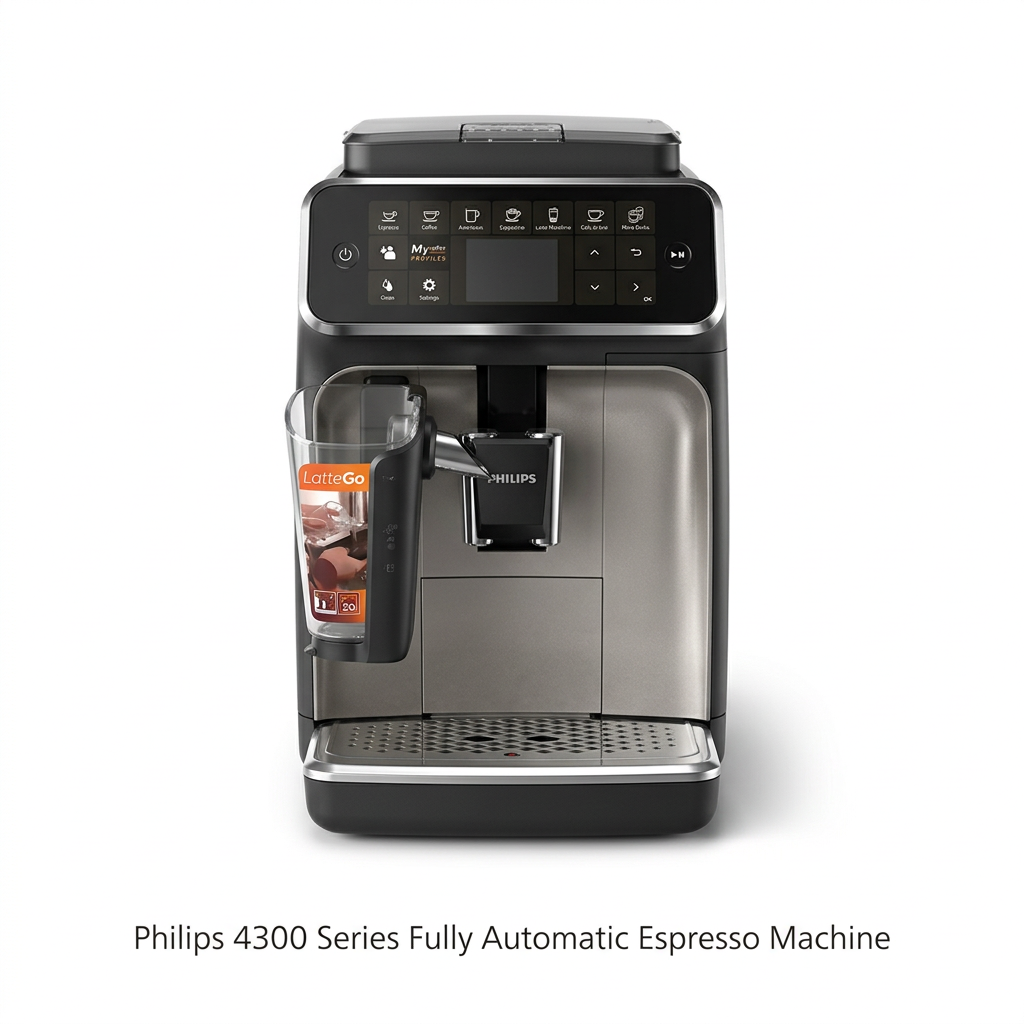
The 4300 front panel: eight drink buttons around a color display.
Other Philips machines I tested
For five drinks and no profiles, see my Philips 3200 Series review.
The Philips 4400 Series goes further with more drinks.
And if you want to make espresso by hand, my Philips Barista Brew review covers Philips' semi-automatic machine.
If cappuccino is the only milk drink you make, the Philips 2300 Series uses the same LatteGo idea in a slimmer, cheaper body.
Which one is right for you: is the Philips 4300 Series your match?
4 quick questionsPhilips 4300 Series specifications
From manufacturer data and my own testing.
How I tested and scored the Philips 4300 Series
For four weeks, the Philips 4300 Series was our everyday coffee machine for all eight drinks.
Alex van Gog and I each used our own profile and kept joint notes.
We timed black coffee from start-up and cappuccino including cleanup, and tested every strength, volume and temperature setting.
We used dairy and oat milk in the LatteGo jug, ran a full guided descale and followed the brew group routine.
Finally, I compared our notes with Philips' specifications and user manual.
- Espresso (7.8): espresso, ristretto and long drinks, flavor and consistency.
- Milk drinks (8.0): foam, layering, speed and flexibility.
- Ease of use (9.0): display, profiles, customization and setup.
- Cleaning (8.2): LatteGo, milk rinse, brew group and guided descaling.
The overall score of 8.3 is an editorial rating that reflects those four areas.
Philips 4300 Series FAQ
Is the Philips 4300 Series worth it?
Yes, especially as a first automatic machine for one or two people who drink a mix of black coffee and milk drinks. If you only drink one kind of coffee, a simpler model is enough.
What drinks does the Philips 4300 Series make?
Espresso, ristretto, coffee, Americano, caffè crema, cappuccino, latte macchiato and café au lait at one touch, plus hot water.
How many user profiles does it have?
Two user profiles plus a guest profile. Each saves its own strength and volumes for every drink.
Can I add an extra shot to a cappuccino?
No. The extra shot only works on black coffee drinks. For a stronger cappuccino, raise the strength and lower the milk volume, or brew a separate espresso.
How long does a cappuccino take?
In my tests, about 2 minutes and 57 seconds including fitting the jug, the milk rinse and putting the jug away. A black coffee from start-up took about 1 minute and 56 seconds.
Does it remind me to rinse the milk system?
Not clearly. You need to start the milk rinse yourself from the menu, so make it a habit after every milk drink.
How do I clean the LatteGo jug?
It comes apart into three pieces with no tubes. Rinse them after use and put them in the dishwasher daily.
Is descaling difficult?
No. The display guides you step by step, and it takes about 30 minutes, mostly waiting.
Does it have a removable brew group?
Yes. It comes out from the side for rinsing and needs a little food-safe grease periodically.
How many temperature settings are there?
Three: low, medium and high, set in the settings menu.
Does the display show drink volumes?
Yes. When you adjust coffee or milk quantity, it shows the volume in milliliters.
Is the Philips 4300 Series good for beginners?
Very. The drinks are on the front panel, the settings appear when you need them and maintenance is guided on screen.
Kitchen & coffee tester
Michael spent six years as a line cook in restaurants in Chicago and New York, and he has tested kitchen appliances for HouseholdMe since 2018, from air fryers to coffee makers. He holds an SCA certificate in barista skills and used the Philips 4300 Series as his everyday coffee machine for four weeks for this review.
- Four weeks of hands-on testing of the Philips 4300 Series Fully Automatic Espresso Machine
- Philips product specifications and user manual
- General espresso brewing and maintenance guidance