Breville Oracle Touch review: dual boilers, automatic tamping and hands-free milk on one easy touchscreen
The Breville BES990BSS Oracle Touch Espresso Machine grinds, doses and tamps for you into a commercial-size 58 mm portafilter, then brews and steams at the same time from two separate boilers. You swipe to a drink, press start and get real espresso and silky milk with almost no mess, though it is big, heavy and still asks for regular cleaning.

Michael Reynolds
Hands-on review
Hands-on testing, research, specs
4 weeks
22 minutes
Jargon helpNew to espresso? Tap any dotted term to see what it means.
In this review
Yes, if you want café-quality espresso without learning barista skills. The Breville Oracle Touch automates the hardest parts, grinding, dosing and tamping, but keeps a real 58 mm portafilter and two boilers, so the shots taste like espresso from a proper café machine. The hands-free milk is silky and hits the same temperature every time, and saved drinks make it easy for a whole household. It is large and heavy, you still move the portafilter by hand, and the steam wand and group head need daily care.
Breville Oracle Touch at a glance
Breville Oracle Touch pros and cons
- Automatic grind, dose and tamp with a polished puck
- Brews and steams at the same time on two boilers
- Hands-free milk that stops at your set temperature
- Large footprint and heavy body
- Dual boilers take a few minutes to heat up
- Steam wand and group need cleaning every day
Who should buy the Breville Oracle Touch?
- Households where several people make different drinks
- Latte and flat white drinkers who want consistent milk
- Anyone who wants real espresso without barista training
- Small kitchens with limited counter space
- Hobbyists who want to tamp and steam by hand
- People who only drink plain black coffee
First impressions of the Breville Oracle Touch
Home espresso usually forces a choice.
You can have the push-button ease of a fully automatic machine, or the flavor of a proper portafilter machine that needs skill.
The Breville Oracle Touch tries to give you both.
It looks like a serious café-style machine, with a full-size portafilter, a big steam wand and a brushed steel body.
But there is no tamper on the counter and no milk thermometer in sight.
Instead, there is a bright color touchscreen with pictures of drinks.
On my first morning, I swiped to Flat White, locked the portafilter into the grinding collar and pressed Grind.
The machine ground, dosed, tamped and polished the coffee by itself.
I moved the portafilter to the group head, put the milk jug under the wand and pressed Brew and Milk.
About 30 seconds later, I had an espresso with thick crema and a jug of glossy milk at exactly 149°F.
It was the easiest great flat white I have ever made at home.
It is also a big machine, and it needs a big, sturdy spot on your counter.
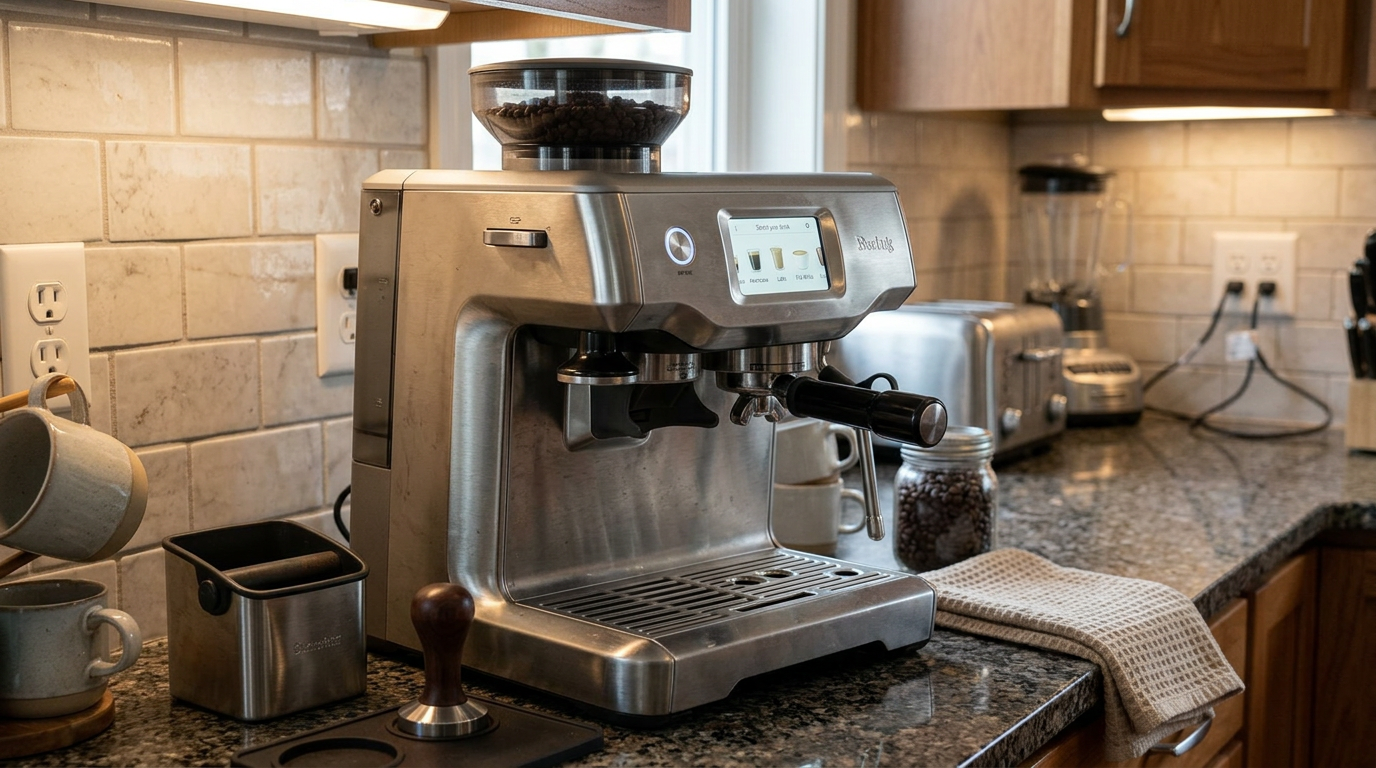
The Oracle Touch needs a deep counter and space above for the hopper.
What the Breville Oracle Touch actually is
The Oracle Touch sits in a class of its own, somewhere between a manual espresso machine and a fully automatic one.
It has two stainless steel boilers.
One heats water for espresso, and the other makes steam for milk.
Each is controlled by PID✕PID controlA digital thermostat that measures temperature constantly and makes tiny corrections, so the water stays within a fraction of a degree., so the espresso water stays within a fraction of a degree during the shot.
Because the boilers are separate, you can brew and steam at the same time with no drop in pressure or temperature.
The coffee goes into a 58 mm portafilter✕PortafilterThe handle with a metal basket that holds the ground coffee. You lock it into the machine's group head to brew., the same size used in most café machines.
Above the grinding collar sits an automatic grinder and tamper.
It grinds the coffee straight into the basket, compresses it and finishes the surface with a polishing twist.
Our tip: Think of the Oracle Touch as a café machine with a robot barista attached: you still move the portafilter, but it does the fiddly parts.
What comes in the box
The box includes the machine, the 58 mm stainless portafilter, single and double single-wall baskets✕Single-wall basketA normal, unpressurized filter basket. The coffee puck alone creates the resistance, so it needs fresh beans and the right grind., a 16-ounce milk jug, a small knock box, a cleaning kit and a water filter with holder.
There is also a water hardness test strip, a spare steam tip and seal, and, in many bundles, a double-walled travel mug.
No pressurized baskets
Unlike Breville's cheaper machines, there are no dual-wall baskets in the box.
Those are designed to fake resistance for poorly ground or stale coffee.
Because the Oracle Touch grinds and tamps the same way every time, it doesn't need them.
The result is a cleaner, more honest espresso with real crema.
Our tip: Test your water hardness with the included strip on day one and enter it in the settings, so descaling reminders arrive at the right time.
Breville Oracle Touch design and setup
The Oracle Touch measures about 14.5 inches wide, 14.7 inches deep and 17.6 inches tall.
It weighs around 35 pounds.
That is heavy enough that I placed it once and left it there.
Two ways to fill the water
This is one of my favorite details.
There is a flip-top lid at the front of the machine, so you can pour water in from a jug without moving anything.
The 84-ounce tank also slides out from the back on a lock, so you can refill it at the sink and clean it properly.
The layout
The grinding collar is on the left, the group head in the middle and the steam wand on the right.
Under the wand, the drip tray has a round temperature sensor that touches the bottom of the milk jug.
A hot water spout sits next to the group head.
The touchscreen is at eye level on the front panel, and the bean hopper sits on top.
Setup
I filled the tank, installed the soaked filter and filled the hopper.
The screen walked me through the language, water hardness and first flush.
Then the boilers heated for a few minutes before the main menu appeared.
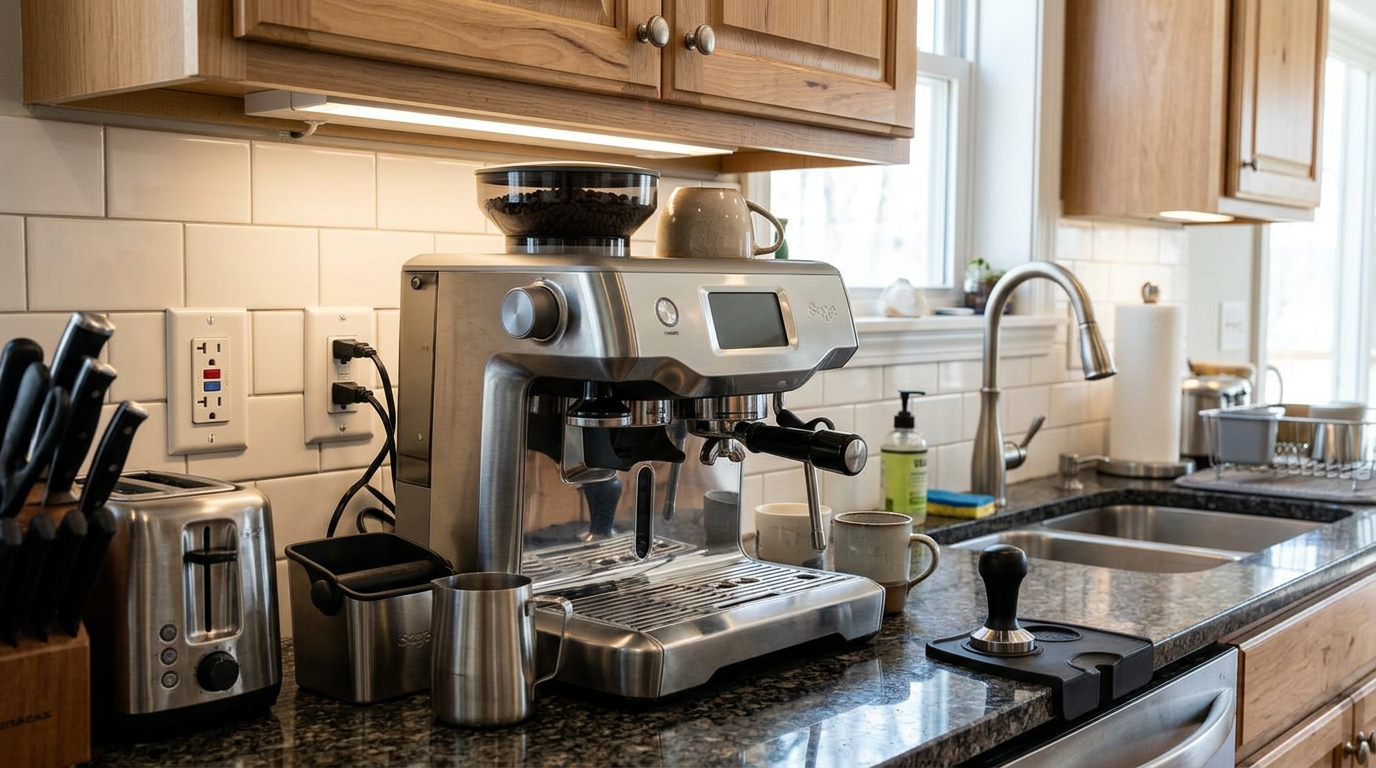
There is enough room under the spouts for a mug, but not for a tall travel cup on the drip tray.
Dual boilers and heat-up
The two boilers are the reason the Oracle Touch feels so effortless during milk drinks.
On a single-boiler or single-heater machine, you brew, wait, then steam.
Here, I pressed Brew and Milk together, and both finished within a few seconds of each other.
Heat-up time
The trade-off is warm-up.
Two boilers full of water take longer to heat than a flat ThermoJet block.
From cold, the machine needed a few minutes before it was ready, and longer before the portafilter and group were fully hot.
I used the auto-start in the settings so the machine was warm when I came downstairs.
Time for a flat white, from pressing start to both parts done.
Thermal stability
Back-to-back shots tasted the same, even when I made four flat whites in a row.
The brew temperature stayed steady, and the steam pressure never sagged.
That is what you'd expect from a proper dual-boiler machine.
Our tip: Set the auto-start time 15 minutes before you usually make coffee, so the boilers and portafilter are fully warm.
The built-in grinder
The grinder uses hardened stainless steel conical burrs✕Conical burrsA cone-shaped burr turning inside a ring. They grind evenly at fairly low speed, which keeps heat down..
They turn slowly enough that the coffee doesn't heat up much, which helps preserve the aromatic oils.
There are 45 grind settings on a dial on the left side of the machine.
The current number also appears on the screen.
The hopper
The hopper holds about half a pound of beans and locks in place.
It has a shut-off so you can lift it off with beans inside, which makes switching between regular and decaf easier.
Where I landed
With a fresh medium-roast blend, my sweet spot was in the low 20s.
Light roasts needed a few settings finer, and dark roasts a few settings coarser.
Lower numbers are finer. Bars show how fine the setting is.
Our tip: Turn the grind dial only while the grinder is running, so whole beans can't jam between the burrs.
Automatic grinding, dosing and tamping
This is the feature that defines the Oracle Touch.
You push the portafilter into the collar on the left until it locks.
Then you press Grind on the screen, or nudge the portafilter to start.
What happens inside
The grinder fills the basket directly, using a set dose for the drink you selected.
Then an internal tamper presses the coffee with a consistent force, roughly equal to 30 pounds.
To finish, it gives the surface a 360-degree polishing twist.
When I pulled the portafilter out, the puck was perfectly flat, smooth and level, with no loose grounds on the rim.
Why that matters
Most bad espresso at home comes from uneven tamping or uneven coffee in the basket.
Those cause channeling✕ChannelingWhen water finds a weak spot in the coffee puck and races through it, leaving other parts under-extracted. It causes sour, thin shots., where water rushes through a weak spot and leaves the rest of the coffee under-extracted.
The Oracle Touch removes that variable entirely.
That leaves grind size as the only thing you need to adjust to change the flow.
Less mess
Everything happens inside an enclosed chute.
In four weeks, I hardly had to wipe coffee grounds off the counter, which is unusual for any portafilter machine.
| Step | Manual machine | Oracle Touch |
|---|---|---|
| Grinding | Separate grinder or timed grind | Automatic, into the basket |
| Dosing | Weigh by hand | Automatic |
| Distribution | Tap or stir by hand | Even fill from the chute |
| Tamping | Your hand and a tamper | Motorized, consistent force |
| Finishing | Optional | Automatic polishing twist |
| Mess | Grounds on the counter | Almost none |
The touchscreen and drink menu
The touchscreen is bright, colorful and responsive.
The home screen shows a carousel of drinks that you swipe through.
The five presets are Espresso, Long Black, Latte, Flat White and Cappuccino.
Each drink screen has three main controls.
One sets the grind and dose, shown as one or two coffee beans.
One sets the shot, with a default double shot of about 30 seconds.
One sets the milk, with separate controls for temperature and texture.
Making changes
You can change any of those settings for a single drink, or save them as the new default.
Changes take effect immediately, and the screen shows the current grind number so you always know where you are.
Our tip: If you share the machine, save your own version of each drink instead of editing the presets, so everyone keeps their settings.
Saving your own drinks
This is where the Oracle Touch suits a household better than almost any other portafilter machine.
You can create, name and save up to eight custom drinks.
There's a built-in keyboard on the screen, so you can type a name.
How I used it
I saved "Morning flat white" with a double shot, milk at 140°F and a slightly finer foam.
My partner saved "Big latte" with a hotter, taller milk and a lower foam level.
A third profile, "Short black," was a ristretto-style shot with less water.
Each one recalled the shot, the milk temperature and the foam level with one touch.
Why it matters
On most espresso machines, every person has to remember their preferred settings and re-enter them.
Here, everyone just taps their own name.
It made the Oracle Touch the first portafilter machine in my house that everyone used without asking for help.
| Saved drink | Shot | Milk temperature | Foam |
|---|---|---|---|
| Morning flat white | Double, 30 s | 140°F | Fine, level 4 |
| Big latte | Double, 30 s | 154°F | Medium, level 5 |
| Short black | Double, shorter | None | None |
| Extra-hot cappuccino | Double, 30 s | 158°F | Dense, level 7 |
Breville Oracle Touch espresso performance
When you press Brew, the pump starts with a low-pressure pre-infusion✕Pre-infusionA short, gentle soak of the coffee before full pressure. It lets the puck swell so water flows evenly..
On a well-dialed shot, the first drops appeared after about four to seven seconds.
Then full 9-bar pressure took over, and the shot poured in a steady stream, like warm honey.
The default double shot runs for about 30 seconds.
How it tasted
With a fresh medium-roast blend, the espresso had a dense, golden crema✕CremaThe golden-brown foam on top of an espresso, formed when pressure pushes gases and oils out of fresh coffee. with tiger striping.
It tasted sweet and full, with milk chocolate, toasted nuts and a soft fruit note.
The 58 mm basket and the perfectly level puck gave a clarity I rarely get from all-in-one machines.
Back-to-back shots were nearly identical.
| What you see | Likely cause | What to do |
|---|---|---|
| Flows too fast (under 25 s), pale crema, sour | Grind too coarse | Turn the dial to a lower number |
| Steady honey flow, 28 to 32 s, golden crema | Ideal extraction | Keep the settings |
| Drips slowly (over 35 s), very dark crema, bitter | Grind too fine | Turn the dial to a higher number |
| First shot weaker than the next | Portafilter still cold | Run a hot water flush first |
Screen guidance
When a shot runs too fast or too slow, the screen suggests a direction.
It shows "Finer / Slower" when you turn toward lower numbers, and "Coarser / Faster" for higher ones.
That made dialing in a new bag very quick.
Dialing in new beans
Because the tamp never changes, dialing in comes down to one variable: grind size.
That makes the Oracle Touch much easier to tune than a manual machine.
My process
I pulled a double shot on the current setting and watched the timer.
If it ran under 25 seconds, I went two settings finer.
If it ran over 35 seconds, I went two settings coarser.
Then I pulled one shot to purge the old grind and judged the next one.
Most new bags were dialed in within three shots.
Bean age
As beans age, they lose gas and resistance, and shots run faster.
Over the life of a bag, I moved one or two settings finer to keep the timing steady.
My average over four weeks.
Our tip: After a big grind change, grind and discard one dose, because some of the old grind is still in the chute.
My four-week shot log
To see how consistent the automation really is, I logged the shot time of every double espresso for four weeks.
I also noted when I changed the grind and why.
Week one
The first week was about finding the right grind for my everyday blend.
After three shots, I settled on a setting in the low 20s, and from there the timer barely moved.
Weeks two and three
In weeks two and three, the shots were remarkably steady.
Most landed between 28 and 32 seconds without me touching anything.
The only changes came when a bag got older and the shots started running a second or two faster.
One setting finer brought them straight back.
Week four
In the last week, I switched to a light-roast single origin.
It needed four settings finer and a slightly higher brew temperature, and then it behaved just like the blend.
Share of shots inside my 28 to 32 second window, by week.
That level of consistency is the real benefit of automatic tamping.
On a manual machine, my numbers drift more from day to day, because my tamp and distribution are never quite the same.
Here, the only variable was the coffee itself.
Our tip: Note the grind number on the bag when a coffee is dialed in, so the next bag of the same beans starts in the right place.
Hands-free milk texturing
The steam wand is automatic, and it is the best hands-free milk system I've used on a portafilter machine.
You fill the jug with cold milk to just below the spout notch.
Then you put the jug on the drip tray, so its base sits on the temperature sensor, with the wand tip in the milk.
You press the milk button, and the machine does the rest.
How it works
The wand injects air at the start, then creates a swirling vortex to fold the air into the milk.
The sensor reads the jug's temperature through its base, and the steam stops automatically when it hits your target.
It never scalded the milk once in four weeks.
Temperature and texture
You set the milk temperature in degrees and the foam on a numbered scale.
The lower levels give a thin, liquid microfoam✕MicrofoamMilk foam with bubbles too small to see. It is glossy and silky, and it blends into the coffee instead of sitting on top. for flat whites.
The higher levels give a thick, dense foam for traditional cappuccinos.
The flat white default is 149°F at level 4.
With 2% milk, I found level 5 gave a slightly thicker, creamier texture that was easier to pour.
Higher levels add more air.
After steaming
When you lower the wand back down, it automatically purges a blast of steam into the drip tray.
That clears milk from inside the wand before it can dry.
I wiped the outside with a damp cloth straight away.
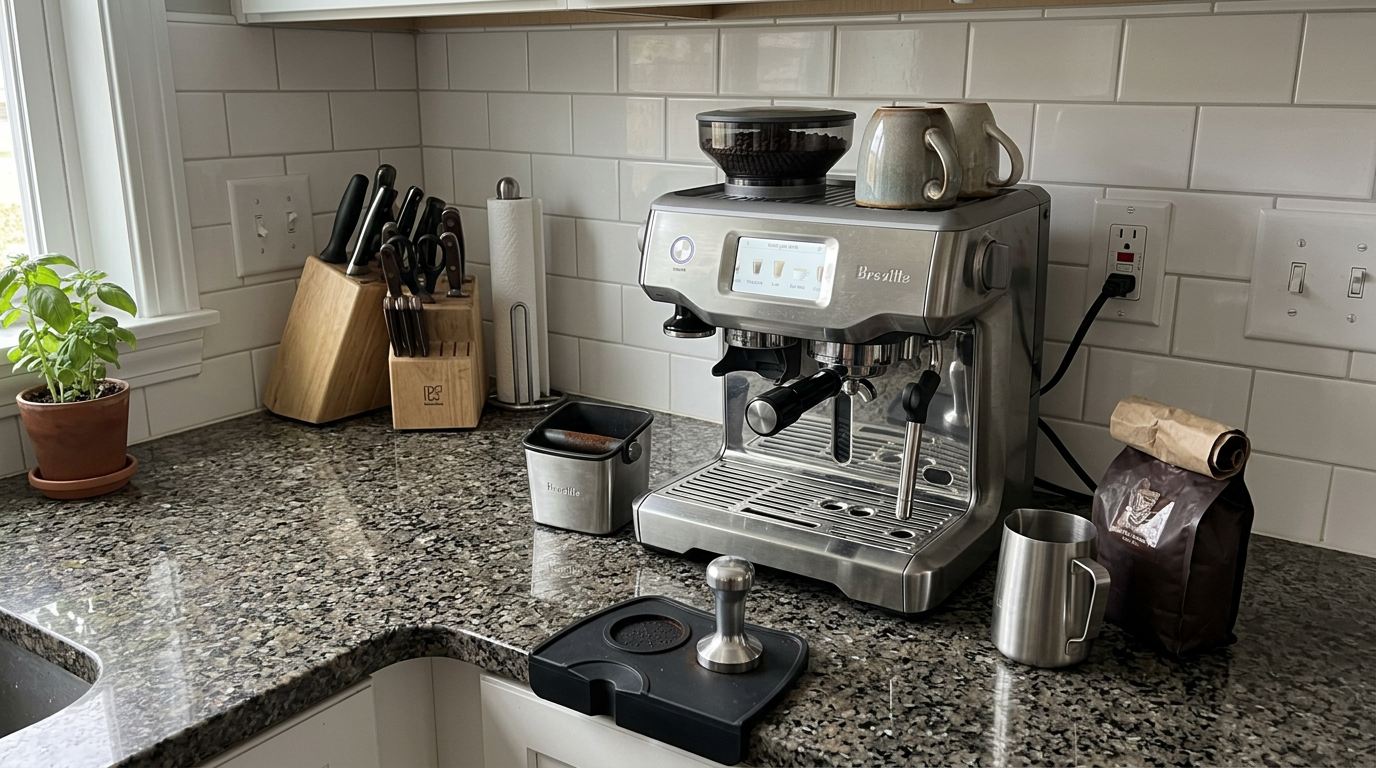
The milk sensor sits in the drip tray, right under the steam wand.
The drink settings I used most
After four weeks, I had a clear set of settings for each café drink.
These made a good starting point for everyone in the house.
| Drink | Shot | Hot water | Milk temperature | Foam level |
|---|---|---|---|---|
| Espresso | Double, about 2 oz | None | N/A | N/A |
| Americano | Double | 4 to 8 oz | N/A | N/A |
| Long black | Double | 4 to 6 oz | N/A | N/A |
| Latte | Double | None | 149 to 154°F | 5 to 6 |
| Flat white | Double | None | 140 to 149°F | 4 to 5 |
| Cappuccino | Double | None | 149 to 158°F | 7 to 8 |
Long black and americano
The long black preset adds hot water from the spout next to the group head.
Because the water comes from a separate outlet, the drink keeps more of its crema.
Plant milks
Oat milk foamed well, especially barista blends.
Almond and soy foamed but were less stable, so I raised the foam level by one or two steps.
Our tip: For a sweeter flat white, drop the milk temperature to 140°F, because milk tastes less sweet when it is very hot.
Can you pour latte art?
Yes, and more easily than you might expect from an automatic wand.
At foam levels 4 and 5, the milk was fine enough for hearts and simple tulips.
The key was pouring promptly after a quick swirl, before the foam separated.
At levels 7 and 8, the foam was too thick and airy for detailed art, which is what you want for a classic cappuccino.
My pouring routine
I pulled the shot into a wide cup and started the milk at the same time.
When the milk stopped, I swirled the jug and tapped it once on the counter.
I poured high and thin to fill the cup halfway, then brought the jug close to the surface to draw the design.
| Foam level | Texture | Latte art |
|---|---|---|
| 3 to 4 | Thin, liquid microfoam | Good for hearts and tulips |
| 5 | Creamy, slightly thicker | Easiest for beginners |
| 6 | Thicker | Simple shapes only |
| 7 to 8 | Dense, airy | Not for latte art |
Cleaning and maintaining the Breville Oracle Touch
The Oracle Touch saves you work at the counter, but it still needs care to stay accurate.
The good news is that the screen guides you through every routine.
Daily
Wipe the steam wand with a damp microfiber cloth after every milk drink, and make sure the purge fires into the tray.
Knock out the puck, rinse the basket and wipe it dry.
Empty the drip tray when its float pops up, and rinse the drawer behind it.
Weekly and monthly
Run the backflush✕BackflushCleaning the group head by blocking the basket with a rubber disc so water and cleaner are forced back through the valve. cycle with a cleaning tablet when the screen prompts you.
Every so often, unlock the hopper, vacuum out loose beans and chaff, and brush the upper burr.
Replace the water filter every two to three months.
Descaling
When the screen asks, run the guided descale✕DescalingRunning a mild acid solution through the machine to dissolve mineral scale from hard water. Scale slows heating and can block pipes. cycle.
It pushes the solution through both boilers in stages, then rinses with fresh water.
| When | Task | Why it matters |
|---|---|---|
| After each milk drink | Wipe the wand, check the purge | Stops milk drying in the tip |
| After each shot | Knock out, rinse, dry the basket | Keeps oil off the basket holes |
| Daily | Empty the drip tray and drawer | Prevents mold and overflow |
| When prompted | Backflush with a tablet | Clears oil from the valve |
| Every 2 to 3 months | Replace the water filter | Protects both boilers |
| When prompted | Guided descale | Keeps heating efficient |
My estimate of hands-on cleaning time per day.
Warranty
Breville covers the Oracle Touch with a two-year limited warranty.
What daily use is really like
My weekday routine became almost automatic.
The auto-start had the machine warm when I got up.
I swiped to my saved drink, ground and tamped, brewed and steamed at the same time, then poured.
A flat white took under two minutes from start to first sip, including wiping the wand.
Weekends
On weekends, I made drinks for four or five people in a row.
That is where the dual boilers shine.
I could grind the next shot while one brewed and the milk steamed, and the machine never needed a break.
Water
The 84-ounce tank lasted about three days for two people.
Topping it up through the front lid took ten seconds.
Rough maths from an 84 oz tank, allowing for flushes and purging.
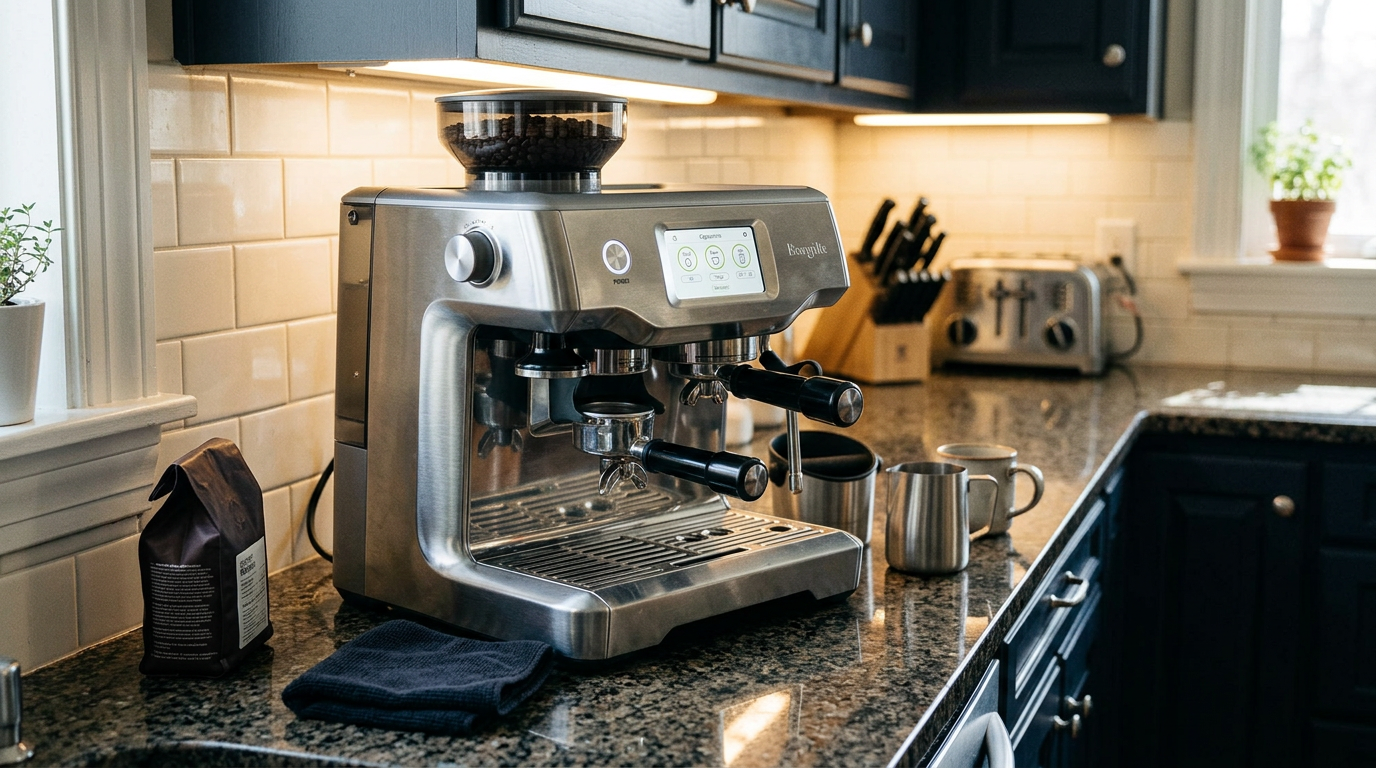
The touchscreen is easy to read even under dim cabinet lighting.
Our tip: Grind the next shot while the current one is brewing, and a round of four flat whites takes barely five minutes.
Beans, water and milk
Because the Oracle Touch uses unpressurized baskets, it needs fresh coffee.
Whole beans used within a few weeks of the roast date gave the best crema and the most consistent timing.
Old beans ran fast, and there is no pressurized basket to hide it.
Roast choice
Medium and medium-dark roasts are the easiest match for the default settings.
Light roasts work well with a finer grind and a slightly higher brew temperature.
Very oily dark roasts can leave residue in the burrs and chute, so clean more often if you use them.
Water
Use filtered or fresh tap water with the filter installed.
Avoid pure distilled water, because coffee needs some minerals to taste full and the boilers rely on minerals to sense water level.
| Bean type | Grind | What to expect |
|---|---|---|
| Medium blend | Around 20 to 24 | Sweet, chocolatey, easy |
| Medium-dark | A little coarser | Heavy body, thick crema |
| Light single origin | A few steps finer | Bright and fruity |
| Very dark, oily | Coarser | More cleaning needed |
Our tip: Buy beans you can use within two to three weeks of opening, so the grind setting stays stable.
Common mistakes to avoid
The Oracle Touch makes espresso easy, but a few habits still matter.
| Mistake | What happens | Better habit |
|---|---|---|
| Using old supermarket beans | Fast, sour shots | Buy freshly roasted beans |
| Pulling the portafilter mid-tamp | Messy, unpolished puck | Wait for the screen to finish |
| Jug not touching the sensor | Milk overheats or stops early | Sit the jug flat on the sensor |
| Skipping the wand wipe | Milk bakes on the steel | Wipe after every drink |
| Changing the grind on a stopped grinder | Beans jam | Adjust while grinding |
| Editing presets for one person | Others lose their settings | Save personal drinks |
Change one setting at a time and taste after each change.
What I would change
A slightly smaller footprint would make it easier to fit in more kitchens.
A faster heat-up from cold would help on days you forget the auto-start.
And a taller cup clearance would allow travel mugs straight on the drip tray.
Living with it as a household
The biggest surprise of my four weeks was who used the machine.
On most portafilter machines I test, I end up making everyone's coffee, because nobody else wants to learn the routine.
With the Oracle Touch, everyone in the house made their own drinks by the second day.
The steps are simple enough to explain in one sentence: lock the handle in the left, tap your drink, move the handle to the middle, put the milk jug under the wand and press start.
Nobody needed to know what a tamp should feel like or when to stop steaming the milk.
Where people still needed help
The only steps that tripped people up were small ones.
Some forgot to sit the jug flat on the sensor, so the milk stopped a little early.
Others left the wand unwiped, which I then had to clean later.
A short note on the fridge about wiping the wand fixed both habits within a week.
| Who | Saved drink | What they liked |
|---|---|---|
| Me | Morning flat white | Same texture every day |
| Partner | Big latte | Hotter milk, no learning curve |
| Guest | Cappuccino | Thick foam with one tap |
| Weekend visitor | Long black | Crema stays on top |
Is the Breville Oracle Touch worth the money?
The Oracle Touch is a premium machine, so it has to earn its place.
It does that best in a household that drinks a lot of milk drinks and has more than one coffee drinker.
You get real dual-boiler espresso, automatic tamping, hands-free milk and saved drinks in one machine.
Ask yourself three questions before you buy.
Do you want café-style espresso but not the barista learning curve? Does more than one person make coffee? And do you have the counter space?
If yes, it is one of the best machines you can put in a home kitchen.
If you love the craft of tamping and steaming by hand, a manual machine will be more satisfying.
In Europe, the same machine is sold as the Sage Oracle Touch.
It also helps to compare it with what you would otherwise buy.
Getting this level of espresso from a manual setup usually means a dual-boiler machine plus a separate grinder, a scale, a distribution tool and a good tamper, and a lot more counter space for all of it.
The Oracle Touch puts that whole workflow into one appliance, and it removes the skill barrier at the same time.
Check what is included where you buy, because bundles vary, and some include a travel mug, a knock box and extra filters.
How it compares with other espresso setups
The most useful comparison is with the kinds of machines you're probably weighing up.
The Breville Oracle Touch stands out for combining automation with a real 58 mm portafilter.
| Feature | Oracle Touch | Semi-automatic all-in-one | Fully automatic bean-to-cup |
|---|---|---|---|
| Grinding and tamping | Automatic | By hand | Automatic, hidden brew unit |
| Portafilter | 58 mm | 54 mm | None |
| Heating | Dual boilers | Single heater | Single heater |
| Brew and steam together | Yes | No | Usually no |
| Milk | Hands-free wand with sensor | Manual wand | Automatic frother |
| Saved drinks | 8 custom | Few or none | Often several |
| Espresso quality | Excellent, consistent | Excellent, skill-dependent | Good |
A semi-automatic all-in-one gives you full control and costs less, but it needs skill every morning.
A fully automatic bean-to-cup machine is simpler still, but its small internal brew unit can't match the body and crema of a 58 mm puck.
The Oracle Touch keeps the flavor of the first and the ease of the second.
| You mostly drink | Is it a fit? | Why |
|---|---|---|
| Flat whites and lattes | Excellent | Simultaneous brew and silky milk |
| Espresso | Excellent | 58 mm puck, dual-boiler stability |
| Americanos | Very good | Separate hot water outlet |
| Drinks for several people | Excellent | Saved profiles, no waiting |
| Hands-on barista hobby | Fair | Most steps are automated |
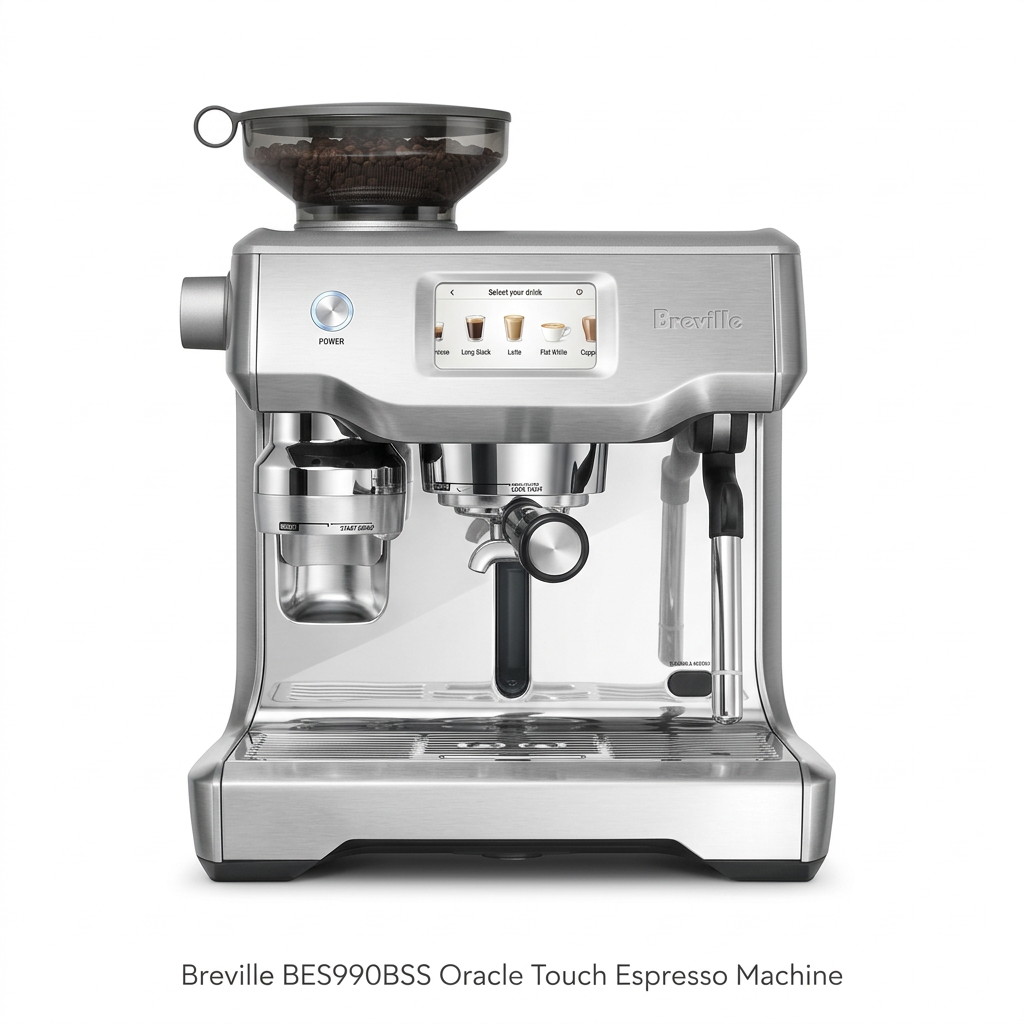
The full package: touchscreen, grinding collar, 58 mm group head and steam wand.
Other Breville machines I tested
If you prefer physical buttons and dials, see my Breville Oracle review.
For cold brew, cold espresso and the newest touchscreen, read my Breville Oracle Jet review.
For a smaller machine with a touchscreen and assisted tamping, see the Barista Touch Impress review.
Which one is right for you: is the Breville Oracle Touch your match?
4 quick questionsBreville Oracle Touch specifications
From manufacturer data and my own testing.
How I tested and scored the Breville Oracle Touch
For four weeks, I used the Breville Oracle Touch as my household's everyday coffee machine for espresso, long blacks, americanos, flat whites, lattes and cappuccinos.
I dialed in light, medium and dark roasts, logged shot times on the screen, and tested every foam level with whole, 2%, oat, almond and soy milk.
Several people saved and used their own drinks, and I followed every daily, prompted and guided cleaning routine.
I then checked my notes against Breville's specifications and owner documentation.
- Espresso (8.9): body, crema, flavor and shot-to-shot consistency.
- Milk drinks (8.9): foam texture, temperature accuracy and speed.
- Ease of use (9.1): automation, touchscreen, saved drinks and dialing in.
- Cleaning (8.3): daily wiping, purge, backflushing and guided descaling.
The overall score of 8.8 is an editorial rating that reflects those four areas.
Breville Oracle Touch FAQ
Is the Breville Oracle Touch worth it?
Yes, if you want café-quality espresso and milk drinks without learning barista skills. It automates grinding, dosing, tamping and milk while keeping a real 58 mm portafilter.
Does the Oracle Touch tamp automatically?
Yes. It grinds into the basket, tamps with consistent pressure and finishes with a 360-degree polishing twist.
Can it brew and steam at the same time?
Yes. It has two separate boilers, one for espresso and one for steam, so both can run at once.
How many grind settings does it have?
45 grind settings, adjusted with a dial on the side of the machine.
How does the automatic milk work?
A sensor in the drip tray reads the jug temperature, and the wand stops when your set temperature is reached. You choose the foam level on the screen.
How many drinks can I save?
Up to eight custom drinks, each with its own name, shot, milk temperature and foam level.
How big is the water tank?
About 84 ounces, or 2.5 liters. You can fill it from a lid on the front or slide it out from the back.
Can I use pre-ground coffee?
It is designed for whole beans. It ships with single-wall baskets only, so fresh beans give the best results.
How long does it take to heat up?
A few minutes from cold. Use the auto-start so it is warm when you want your first coffee.
How do I clean the Oracle Touch?
Wipe the steam wand after every milk drink, rinse the basket after each shot, and run the backflush and descale routines when the screen prompts you.
Is the Sage Oracle Touch the same machine?
Yes. The Sage Oracle Touch sold in Europe is the same machine.
Kitchen & coffee tester
Michael spent six years as a line cook in restaurants in Chicago and New York, and he has tested kitchen appliances for HouseholdMe since 2018, from air fryers to coffee makers. He holds an SCA certificate in barista skills and used the Breville Oracle Touch as his everyday coffee machine for four weeks for this review, working from testing notes he compiled together with the HouseholdMe team.
- Four weeks of hands-on testing of the Breville BES990BSS Oracle Touch
- Breville product specifications and owner documentation
- General espresso brewing, milk texturing and maintenance guidance