Breville Barista Touch Impress review: guided espresso, assisted tamping and hands-free milk on a color touchscreen
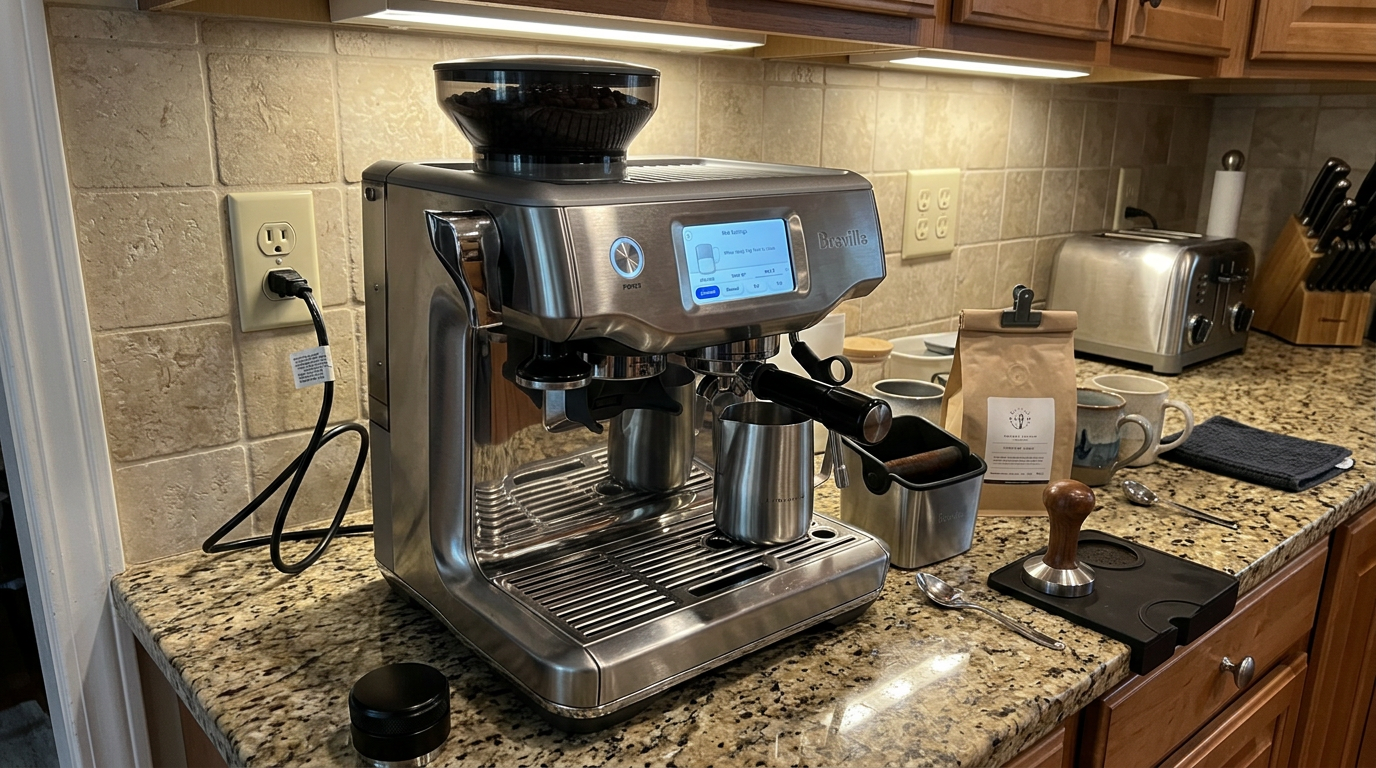
The Breville BES881BSS Barista Touch Impress Espresso Machine walks you through every step on a color touchscreen, tamps with a lever that checks your dose, heats in seconds and steams milk by itself or by hand. It is the easiest real portafilter machine I have used for a beginner, though the grinder is unhurried and the 54 mm basket limits some accessories.

Michael Reynolds
Hands-on review
Hands-on testing, research, specs
4 weeks
21 minutes
Jargon helpNew to espresso? Tap any dotted term to see what it means.
In this review
Yes, if you want real portafilter espresso with a machine that teaches you as you go. The Breville Barista Touch Impress combines a responsive touchscreen, lever tamping that measures and corrects your dose, a fast ThermoJet heater and a milk system that works hands-free or manually. My espresso was balanced and chocolatey from the first week, and the automatic milk was reliable for everyday lattes. The grinder takes about 20 seconds for a double, the 54 mm basket limits commercial accessories, and the steam wand and drip tray still need daily care.
Breville Barista Touch Impress at a glance
Breville Barista Touch Impress pros and cons
- On-screen guidance and lever tamping make espresso easy
- Fast ThermoJet heat-up and quick steam
- Milk works hands-free or fully manual
- Grinder takes about 20 seconds for a double
- 54 mm basket limits some commercial accessories
- Automatic milk is a little coarser than manual
Who should buy the Breville Barista Touch Impress?
- Beginners stepping up from pods or one-touch machines
- Households with several coffee drinkers
- Latte drinkers who also want to learn latte art
- People who want a fully automatic machine
- Hobbyists who want 58 mm commercial accessories
- Anyone who only drinks plain black coffee
First impressions of the Breville Barista Touch Impress
A lot of people who buy a one-touch coffee machine eventually want something better.
They want real espresso, real crema and real microfoam, but they don't want to spend months learning barista skills.
The Breville Barista Touch Impress is built for exactly that person.
On the first morning, the touchscreen walked me through filling the tank, choosing a drink and grinding.
Then it told me to pull the tamping lever, checked how much coffee was in the basket and asked for a small top-up.
After a second pull of the lever to polish the puck, it told me to move the portafilter to the group head and press brew.
I had a good flat white within ten minutes of unboxing, without reading the manual.
The build is solid stainless steel, with a 4-inch color touchscreen at the center and a tamping lever on the left.
It looks modern and tidy, and it fits under standard cabinets.
Over four weeks, it became the machine I'd recommend first to friends who are nervous about espresso.
What impressed me most wasn't any single feature, but how the features work together.
The screen tells you what to do next, the lever makes sure you did it right, and the milk system takes care of the part most beginners struggle with longest.
By the end of the first week, I wasn't following prompts anymore, I was just making coffee.
The tamping lever sits beside the grinding cradle on the left.
What the Breville Barista Touch Impress actually is
The Barista Touch Impress is a semi-automatic espresso machine with a lot of help built in.
You still use a real portafilter, and you still move it from the grinder to the group head.
But the machine guides you, tamps for you and can steam the milk for you.
The four main systems
A ThermoJet✕ThermoJetBreville's compact flat heating block. It has very little metal to heat, so it's ready in about three seconds and switches to steam almost instantly. heater gets the machine ready in about three seconds.
A Baratza-designed conical burr grinder grinds straight into the 54 mm basket.
The Impress puck system✕Impress puck systemBreville's assisted tamping. A lever presses a built-in tamper into the basket, measures how full it is and adjusts the next dose. tamps the coffee and measures the dose.
And an automatic steam wand with a temperature sensor textures milk hands-free, or you can steam manually.
Our tip: Follow the on-screen prompts exactly for the first week, then start adjusting once you know what each setting does.
Who this machine is really built for
The Barista Touch Impress makes the most sense when you know what it's replacing.
Many of the people I talk to already own a one-touch bean-to-cup machine or a pod machine.
They're happy with the convenience, but the coffee has started to taste flat, and the milk foam is stiff and bubbly.
The flavor gap
One-touch machines brew inside a small internal chamber, which limits how much coffee they can use and how evenly the water flows through it.
A real portafilter with a properly tamped puck builds more pressure resistance and extracts more evenly.
In the cup, that means more body, a thicker crema and clearer flavors.
The milk gap
Automatic carafes and frothers in one-touch machines tend to make light, dry foam with big bubbles.
A real steam wand spinning the milk in a jug makes glossy microfoam that blends into the coffee and can be poured into latte art.
The skill gap
The reason most people don't make the jump is skill.
Grinding, dosing, tamping and steaming all take practice.
This machine closes most of that gap.
The screen tells you what to do, the lever handles the tamp, the dose feedback catches mistakes and the automatic wand handles the milk until you want to learn it yourself.
Where it fits in Breville's lineup
It sits between the hands-on all-in-ones and the fully automated Oracle machines.
You still move the portafilter yourself, but almost every decision is guided.
| Coming from | What you gain | What you need to learn |
|---|---|---|
| Pod machine | Fresh-ground espresso, real microfoam | Moving the portafilter, cleaning the wand |
| One-touch bean-to-cup | Fuller body, latte-art milk | Tamping lever, basic dialing in |
| Hand-tamped machine | Consistency, less mess, guidance | Nothing new, mostly less work |
Breville Barista Touch Impress design and setup
The Barista Touch Impress measures about 14.2 inches wide, 13.4 inches deep and 16.3 inches tall.
It weighs about 24 pounds.
The water tank
The 67.6-ounce tank at the back has a magnetic float.
A sensor in the body reads the float and warns you before the water runs out.
That prevents ruined shots and protects the pump from running dry.
The hopper
The bean hopper holds about 12 ounces, more than many all-in-ones.
Setup
The first-time wizard set the language, time and units, then helped me install the filter and prime the system.
I chose the single-wall double basket for fresh beans and set the grind to 10 as a starting point, as the guide suggested.
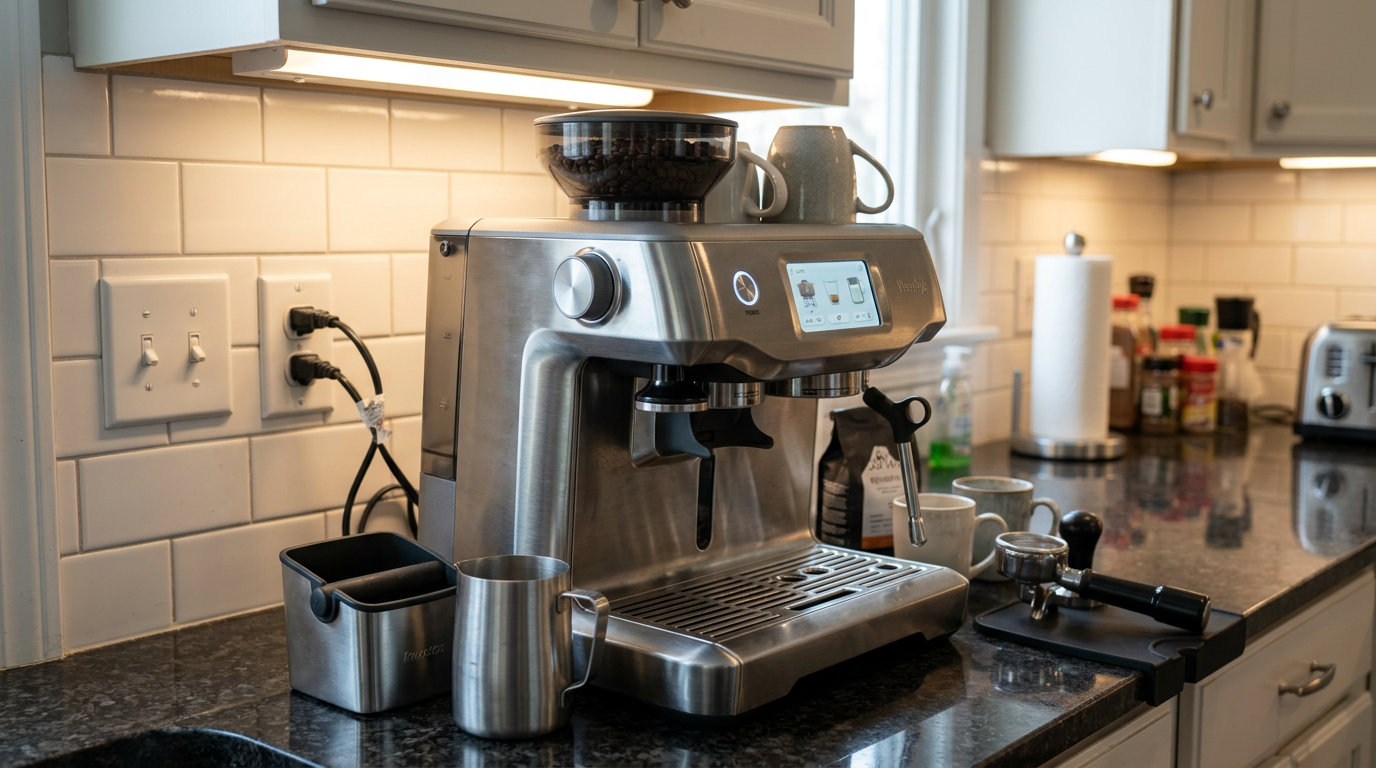
The color touchscreen sits at eye level when the machine is on a standard counter.
Our tip: Make sure the float in the tank moves freely after you install the filter, or the low-water warning won't work.
The touchscreen and menus
The 4-inch color touchscreen is bright, sharp and responsive.
You swipe through a carousel of drinks on the home screen.
The presets include Espresso, Latte, Flat White, Cappuccino, Long Black, Hot Chocolate, Babyccino, Tea and plain steamed milk.
Three icons per drink
Each drink screen has three main icons.
The grind icon shows your grind number and basket size and starts or stops the grinder.
The brew icon controls the single or double shot, and it greys out until the portafilter is locked in.
The milk icon sets temperature, foam level and milk type.
Shortcuts
From any drink screen, you can tap a hot water icon to warm your cup, or a manual steam button to purge or steam by hand.
You don't have to go back to the main menu, which keeps the routine quick.
Settings
The settings menu covers cleaning and descaling guides, dose calibration, brew temperature, tutorials, custom drinks and system options like language and units.
| Icon | What it controls | Why it helps |
|---|---|---|
| Grind | Grind number, basket size, start or stop | Shows exactly where you are |
| Brew | Single or double shot, stop early | Only active when locked in |
| Milk | Temperature, foam level, milk type | Repeatable milk every time |
| Hot water | Quick hot water | Warm cups, americanos, tea |
| Manual steam | Purge or steam by hand | Latte art when you want it |
How the Impress tamping and dosing work
After the grinder fills the basket, you pull the lever on the left down.
A flat tamper presses the coffee with consistent pressure, about 22 pounds.
At the bottom of the stroke, it rotates slightly, Breville calls it a 7-degree barista twist, to polish the surface and seal the edges.
Measuring the dose
While the tamper is pressed down, sensors measure how far it traveled.
That tells the machine how much coffee is in the basket.
If it's too little, the screen asks you to grind a small top-up and tamp again.
Learning for next time
The machine also records the shortfall or excess and adjusts the next grind time.
After a couple of shots, it hit the right dose almost every time.
Polishing
A second pull of the lever after the final tamp polishes the puck again, smoothing out small imperfections.
That reduces the chance of channeling✕ChannelingWhen water finds a weak spot in the puck and races through it, leaving the rest under-extracted. during the shot.
| Screen shows | What it means | What to do |
|---|---|---|
| Green check | Dose is right | Move to the group head |
| Low dose | Too little coffee | Grind a top-up, then tamp again |
| High dose | Too much coffee | Machine shortens the next grind |
| Polish prompt | Puck is set | Pull the lever once more |
The built-in grinder
The grinder uses precision conical burrs designed by Baratza.
They gave a consistent grind with low retention, so very little old coffee stayed in the chute.
Settings
The side dial is stepless inside, but the screen shows 30 numbered settings so you can track your position.
I started at 10 and ended up between 8 and 12 depending on the beans.
Speed
The grinder works at roughly one gram per second.
A full double dose took about 18 to 20 seconds.
That's slower than some machines, but the slow speed keeps the burrs cool and the feed consistent.
Lower numbers are finer. Bars show how fine the setting is.
If the grind chokes
If the pump runs but coffee only drips after 15 seconds, the grind is too fine.
I moved two or three steps coarser, for example from 8 to 11, and ran one purge before the next shot.
Our tip: After a big grind change, grind and discard a small dose, so the next shot uses only the new setting.
Brew temperature and heat-up
The ThermoJet heats in about three seconds and switches between brewing and steaming almost instantly.
The default brew temperature is 200°F.
You can raise it to 207°F or lower it to 192°F in one-degree steps.
How I used it
I left it on 200°F for medium roasts.
For a light roast, I went up to 203°F, which removed the sourness.
For a very dark roast, I went down to 196°F, which softened the bitterness.
| Roast | Temperature | Result |
|---|---|---|
| Light | 202 to 204°F | Sweeter, less sour |
| Medium | 200°F, default | Balanced |
| Medium-dark | 198°F | Rich, rounded |
| Dark | 194 to 196°F | Less bitter |
Warm the portafilter
The heater is ready in seconds, but the portafilter and group head start cold.
I ran a blank shot of hot water through the empty portafilter before my first coffee.
That brought the metal up to temperature and noticeably improved the first shot of the day.
Our tip: Before the first shot of the day, run hot water through the empty portafilter, because a cold basket makes sour espresso.
Breville Barista Touch Impress espresso performance
My standard recipe was about 18 grams of coffee in the double basket and 36 grams of espresso out.
That's a 1:2 brew ratio✕Brew ratioThe weight of dry coffee compared with the weight of espresso. 18 g in and 36 g out is 1:2., and it took 27 to 30 seconds.
How it tasted
I tested with a fresh medium-to-dark roast that included some high-quality robusta.
The crema✕CremaThe golden-brown foam on top of an espresso, formed when pressure pushes gases and oils out of fresh coffee. was thick, hazelnut-colored and elastic.
In the cup, I got clear structure, balanced acidity and sweetness, and a strong chocolate note.
There was almost no astringency or harsh bitterness.
Why it's so consistent
Stable temperature from the ThermoJet and uniform puck resistance from the lever tamp work together.
The result is that one shot tastes very much like the next.
| What you taste or see | Likely cause | First change |
|---|---|---|
| Sour, thin, pale crema | Too cool or too coarse | Raise temperature to 202 to 204°F, or go finer |
| Bitter and slow | Grind too fine | Two or three steps coarser |
| Drips after 15 seconds | Choking | Coarser, then purge |
| Low dose every time | Hopper bridging or burr buildup | Clear the hopper, run dose calibration |
| First shot weaker | Cold portafilter | Run a blank shot first |
My four-week shot log
I logged the dose feedback, shot time and taste of every double espresso for four weeks.
Week one
In the first few days, the screen asked for a top-up on about one shot in three while it learned my beans.
By day four, nearly every dose got the green check on the first tamp.
Weeks two to four
From week two, most shots ran between 27 and 30 seconds.
When I opened a new bag, the first shot ran a little faster, and the screen's guidance plus one step finer brought it back.
Share of doses that got the green check on the first tamp.
A dose calibration moment
In week three, the screen kept asking for top-ups after a new bag of very oily beans.
I cleared the hopper, brushed the upper burr and ran the dose calibration in settings.
After that, the doses were back to normal.
Our tip: If the machine keeps asking for top-ups, check that the beans aren't bridging in the hopper before blaming the grinder.
Automatic milk texturing
The steam wand has a four-hole tip and a cool-touch liner inside, so the outside stays cooler and milk doesn't bake on.
A temperature sensor in the drip tray reads the jug through its base.
How it works
You fill the jug, set it on the sensor with the wand in the milk and press start.
The machine injects air, spins the milk and stops at your target temperature.
When you lower the wand, it purges automatically to clear the tip.
Settings
The default milk temperature is 149°F, and you can lower it to 140°F for sweeter milk.
The foam scale runs from 1 to 8, and level 4 was a good middle for cappuccinos and flat whites.
There are also milk-type settings for dairy, almond, oat and soy, which adjust the heating and air timing for each.
Higher levels add more air.
The texture
Automatic milk was smooth and consistent, perfect for everyday lattes.
Compared with my manual steaming, the bubbles were slightly larger.
For detailed latte art, I switched to manual mode.
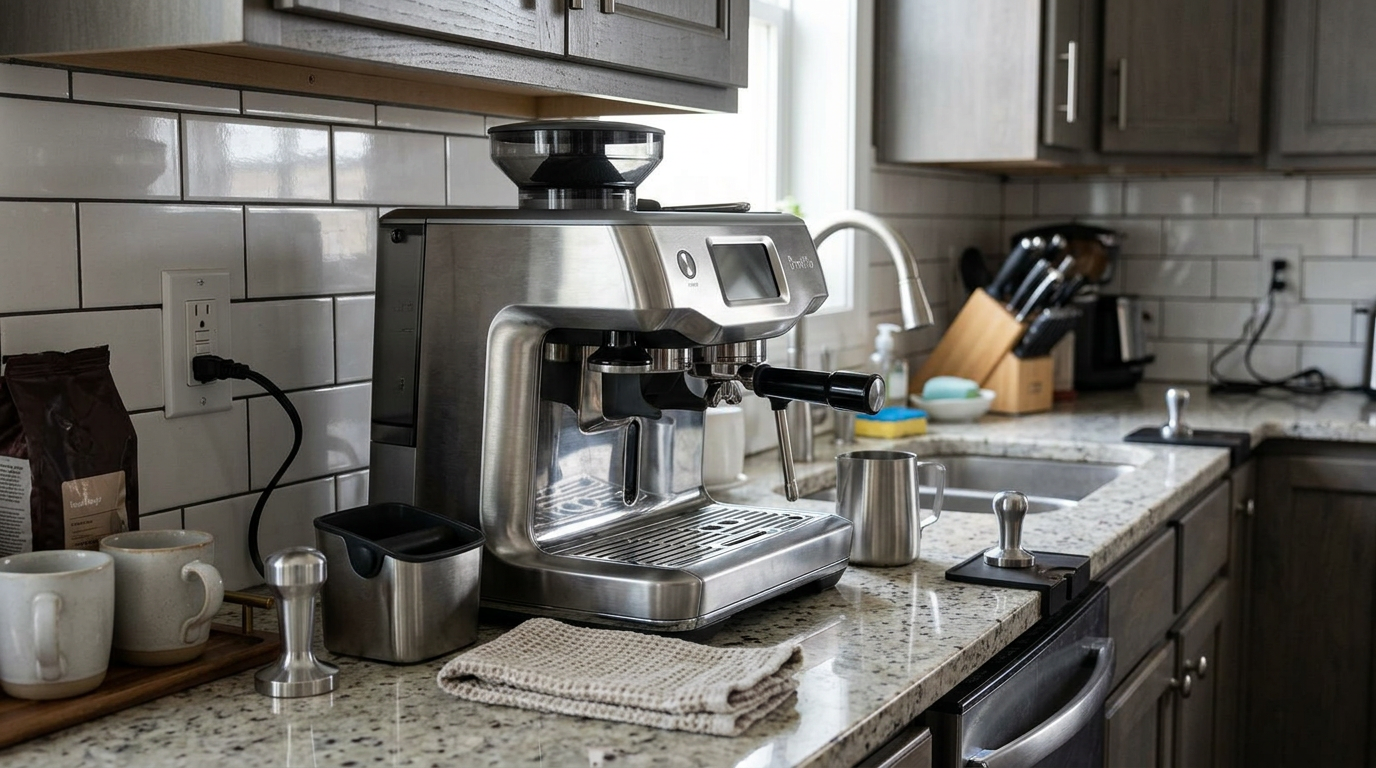
The milk jug sits on a sensor in the drip tray for hands-free steaming.
Manual steaming and latte art
The manual steam button on the screen gives you full control of the wand.
The steam is strong enough to build a fast whirlpool in a normal milk jug.
The difference
Manual mode produced an ultra-silky microfoam✕MicrofoamMilk foam with bubbles too small to see. It's glossy and pourable, like wet paint. with smaller bubbles than the automatic setting.
That made it ideal for detailed pours.
My routine
I purged the wand, set the tip just under the surface and off-center, and opened the steam.
I stretched for a few seconds, then sank the tip slightly to spin the milk until the jug was hot to hold.
After a swirl and a tap, I poured hearts and tulips with clean edges.
| Mode | Texture | Best for |
|---|---|---|
| Automatic | Smooth, slightly larger bubbles | Everyday lattes and cappuccinos |
| Manual | Ultra-silky, very fine bubbles | Latte art and flat whites |
Plant milks
The milk-type settings make a real difference with plant milks.
Plant milks have less protein than dairy, so they don't hold foam as well.
With the right milk type selected, the machine adjusts the timing to help.
| Milk | Setting | Result |
|---|---|---|
| Whole dairy | Dairy | Glossy, stable, sweet |
| Barista oat | Oat | Good foam, slightly looser |
| Almond | Almond | Lighter foam, fades faster |
| Soy | Soy | Stable but can taste beany if too hot |
For flat whites with oat milk, I used a high-protein barista oat and a temperature of 140 to 145°F.
Our tip: Keep plant milks a few degrees cooler than dairy, because many taste bitter or separate when overheated.
Long blacks, americanos and hot water
The hot water comes through a bypass built into the group assembly.
It's ideal for warming cups, americanos and tea.
Long black
By default, the long black brews the espresso first and then adds water.
But the screen lets you dispense the water first, which keeps the crema on top.
I always chose water first, about 4 to 6 ounces, then pulled the double shot over it.
| Drink | Order | Amounts |
|---|---|---|
| Long black | Water first, then espresso | 4 to 6 oz water, double shot |
| Americano | Espresso, then water | Double shot, 4 to 8 oz water |
| Tea | Hot water only | Any cup size |
Our tip: Choose water first for a long black, so the espresso lands on top and the crema survives.
The drink recipes I settled on
These recipes gave me the best results with fresh medium-roast beans.
| Drink | Grind | Dose and yield | Milk | Foam |
|---|---|---|---|---|
| Espresso | 8 to 12 | About 18 g in, 36 g out | None | None |
| Flat white | 8 to 12 | Double shot | 140 to 145°F, whole or oat | Level 2 to 3 |
| Cappuccino | 8 to 12 | Double shot | 149°F, whole | Level 4 to 5 |
| Latte | 8 to 12 | Double shot | 145 to 149°F | Level 3 to 4 |
| Long black | 8 to 12 | Double over 4 to 6 oz water | None | None |
Saving them
I saved each one as a custom drink with its own name.
The machine stores up to eight, so everyone in the house can have their own.
Our tip: Name your saved drinks after the person, not the drink, so nobody overwrites someone else's settings.
The trade-offs worth knowing
No machine does everything, and the Barista Touch Impress makes a few deliberate compromises.
Grinder speed
At about one gram per second, the grinder takes 18 to 20 seconds for a double.
That's not slow enough to be annoying for one drink, but you notice it when making four drinks in a row.
Breville chose consistency and a cool, steady feed over speed, and the taste results back that up.
54 mm basket
The 54 mm basket is standard across Breville's home machines, but most commercial accessories are made for 58 mm.
If you want to experiment with commercial baskets, tampers or distribution tools, your choices are more limited.
For most people, the built-in Impress system makes those accessories unnecessary anyway.
Automatic versus manual milk
The automatic milk is very good, but manual steaming still produces finer bubbles.
That's a small gap, and having both options is better than being stuck with either.
Touchscreen workflow
Touchscreens are quick once you know them, but they are not as fast as a physical button for people who like to work by feel.
The shortcuts for hot water and manual steam on each drink screen help a lot.
My rating, where 10 means it bothered me a lot.
How long each drink really takes
Speed matters on weekday mornings, so I timed my most common drinks from pressing the power button to the first sip.
The ThermoJet's three-second heat-up does most of the heavy lifting here.
The slowest steps were the grinder, at about 20 seconds, and the blank flush to warm the portafilter.
Because the machine can switch from brewing to steaming almost instantly, there was no waiting in the middle of a milk drink.
My timings, from power on to first sip, including wiping the wand.
Where you can save time
Start the blank flush while the grinder runs, and you save about 15 seconds.
Use automatic milk while you clean the portafilter, and the drink is ready almost as soon as you are.
For two drinks, grind the second dose while the first milk is steaming.
Compared with a café
Even at three minutes, a flat white from this machine was quicker than walking to my nearest café.
And the result was as good as most of the cafés I visit, which is the real point.
Our tip: Press grind first, then run the blank flush while the grinder is working, because that overlap saves time every morning.
Cleaning and maintaining the Breville Barista Touch Impress
Daily care is quick, and the screen reminds you of the bigger jobs.
Daily
Knock out the puck, wipe the basket dry with a microfiber cloth and run a blank flush before the next shot.
Wipe the steam wand straight after each use and let the purge clear the tip.
Empty the drip tray when the red float rises through the grate, and clean the sensor surface.
Periodic
Run a blank single-cup flush without the portafilter before daily use to clear oils.
When the counter on the screen says it's time, backflush✕BackflushCleaning the group head by blocking the basket with a rubber disc and a tablet, so water and cleaner flow back through the valve. with the rubber disc and a tablet.
Replace the filter when prompted and run the guided descale✕DescalingRunning a mild acid solution through the machine to remove mineral scale left by hard water. cycle.
| When | Task | Why it matters |
|---|---|---|
| After each milk drink | Wipe the wand, let it purge | Keeps the four holes clear |
| After each shot | Knock out, wipe the basket dry | Fresh dose every time |
| Daily | Empty the tray, clean the sensor | Accurate milk temperature |
| When prompted | Backflush with a tablet | Clears oils from the valve |
| When prompted | Filter change and descale | Protects the ThermoJet |
My estimate of hands-on cleaning time per day.
If steam weakens
If steam output drops or stops early, the tip holes are probably blocked.
Clear all four holes with the cleaning tool and purge into a damp towel.
Breville covers the Barista Touch Impress with a two-year limited warranty.
What daily use is really like
My weekday routine took about three minutes for a flat white.
Switch on, blank flush, swipe to my drink, grind, tamp twice, brew, steam, wipe.
Because the machine is ready in seconds, I switched it off between coffees.
Water
The 67.6-ounce tank lasted two people about two days, and the float sensor warned me well before it ran out.
Rough maths from a 67.6 oz tank, allowing for flushes and purging.
Noise
The grinder hums quietly for about 20 seconds.
The pump and steam are typical for an espresso machine.
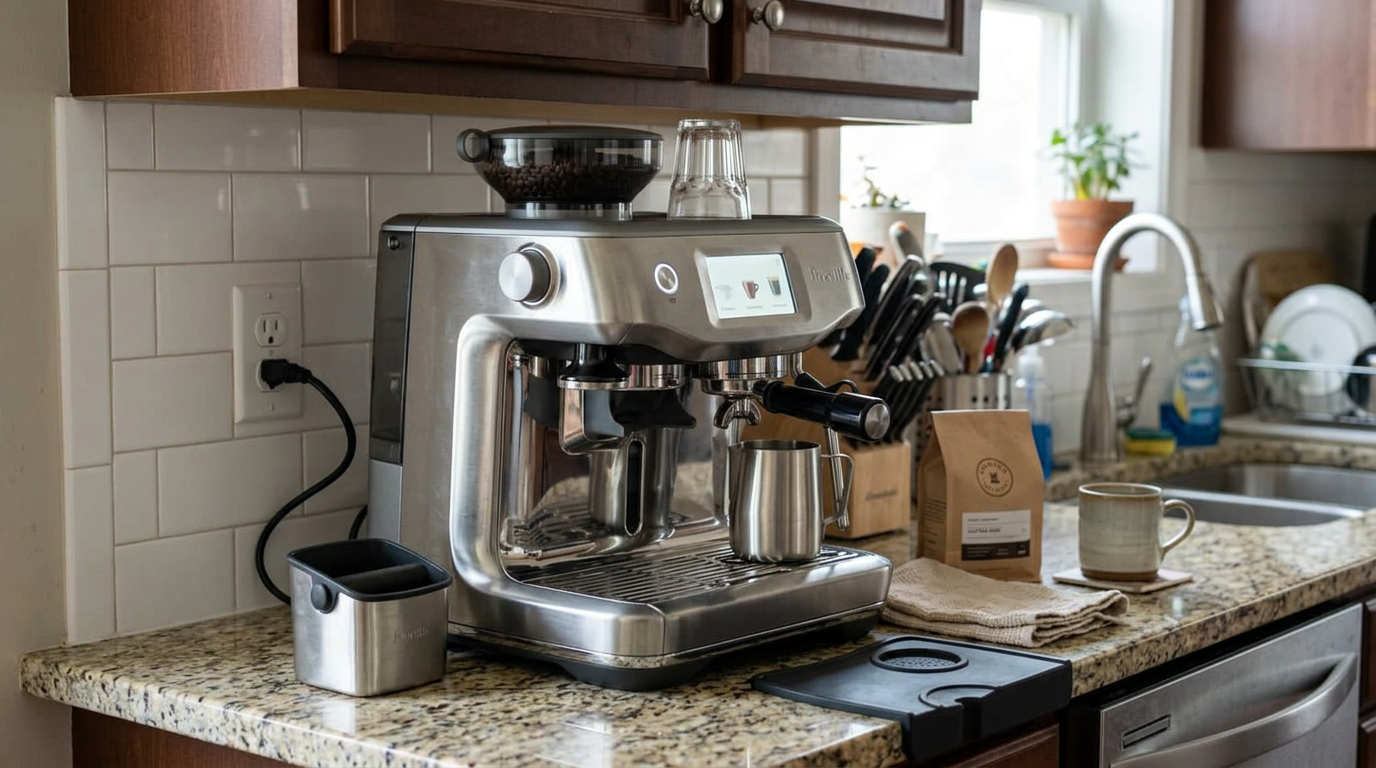
The machine fits neatly under standard wall cabinets.
Our tip: Wipe the basket dry before each dose, because a damp basket makes the grounds clump at the bottom.
Living with it as a household
This was the easiest portafilter machine for my household to share.
The guided screen meant nobody needed lessons beyond the first try.
Everyone saved their own drink, so the settings never got mixed up.
Who used what
My partner used automatic milk every day and never touched manual steam.
I used automatic milk on weekdays and manual steam on weekends to practice latte art.
A visiting friend who only drinks long blacks made hers on day one without help.
What still needed teaching
The only habits I had to explain were wiping the steam wand and drying the basket.
After a week, those became automatic for everyone.
| Person | Saved drink | Milk mode |
|---|---|---|
| Me | Flat white, 140°F, level 3 | Automatic on weekdays, manual on weekends |
| Partner | Latte, 149°F, level 4 | Automatic |
| Guest | Long black, water first | None |
| Child | Babyccino | Automatic |
Beans, water and milk
Fresh whole beans make the biggest difference, because the single-wall baskets show every flaw.
Beans used within a few weeks of roasting gave the best crema and the steadiest dose feedback.
If you must use older or pre-ground coffee, switch to the dual-wall pressurized baskets.
Water
Use filtered water or keep the filter installed.
Very hard water builds scale quickly in the narrow ThermoJet channels.
| Coffee | Basket | Notes |
|---|---|---|
| Fresh whole beans | Single wall | Best flavor and crema |
| Older whole beans | Single wall, finer grind | Shots run faster |
| Pre-ground coffee | Dual wall | Pressurized basket helps |
| Very oily dark roast | Single wall | Clean the burrs more often |
Our tip: Use the dual-wall baskets only for pre-ground coffee, because they hide the difference that fresh beans make.
Common mistakes to avoid
The Barista Touch Impress guides you well, but these habits still matter.
| Mistake | What happens | Better habit |
|---|---|---|
| Skipping the second lever pull | Rougher puck surface | Always polish |
| Ignoring top-up prompts | Under-dosed, sour shots | Grind the top-up |
| No blank flush in the morning | Sour first shot | Warm the portafilter |
| Grind too fine | Pump runs, coffee drips | Two or three steps coarser |
| Jug not on the sensor | Milk stops at the wrong temperature | Sit the jug flat |
| Leaving milk on the wand | Blocked tip holes | Wipe after every use |
Change one setting at a time and taste after each change.
What I would change
A faster grinder would shave 10 seconds off every coffee.
A slightly finer automatic foam would close the gap with manual steaming.
And a 58 mm basket would open up more accessory options.
Is the Breville Barista Touch Impress worth the money?
The Barista Touch Impress is aimed at people considering a premium one-touch machine.
For a similar spend, it gives you real portafilter espresso, true microfoam and much more control.
And thanks to the guidance and assisted tamping, it's nearly as easy to live with.
Ask yourself three questions.
Do you want better espresso than a one-touch machine makes? Do you want help with tamping and milk? And will more than one person use it?
If yes, this is the machine I'd recommend first.
If you want a fully automatic machine with no portafilter at all, look elsewhere.
In Europe, the same machine is sold as the Sage Barista Touch Impress.
Check what's included where you buy, because finishes and bundles vary.
Whatever you choose, a small scale that reads to 0.1 gram is still worth having, even with the dose feedback, because it lets you check your yield.
How it compares with other espresso setups
The most useful comparison is with the setups you are likely weighing up.
The Breville Barista Touch Impress stands out for guiding you through real espresso.
| Feature | Barista Touch Impress | Fully automatic machine | Hand-tamped all-in-one |
|---|---|---|---|
| Espresso method | Real portafilter | Internal brew unit | Real portafilter |
| Tamping | Lever with dose feedback | Automatic, hidden | By hand |
| Guidance | Touchscreen prompts | None needed | None |
| Milk | Automatic or manual | Automatic only | Manual only |
| Heat-up | About 3 seconds | 1 to 2 minutes | About 1 minute |
| Saved drinks | 8 | Often several | None |
| Learning curve | Low | Very low | Moderate |
A fully automatic machine is simpler, but its espresso and milk can't match a real portafilter and steam wand.
A hand-tamped all-in-one gives similar espresso, but it takes longer to master and makes more mess.
The Barista Touch Impress sits right in the sweet spot for most households.
| You mostly drink | Is it a fit? | Why |
|---|---|---|
| Lattes and flat whites | Excellent | Automatic or manual microfoam |
| Espresso | Very good | Consistent puck and temperature |
| Long blacks | Very good | Water-first option |
| Drinks for several people | Very good | Eight saved drinks |
| Latte art practice | Very good | Manual steam mode |
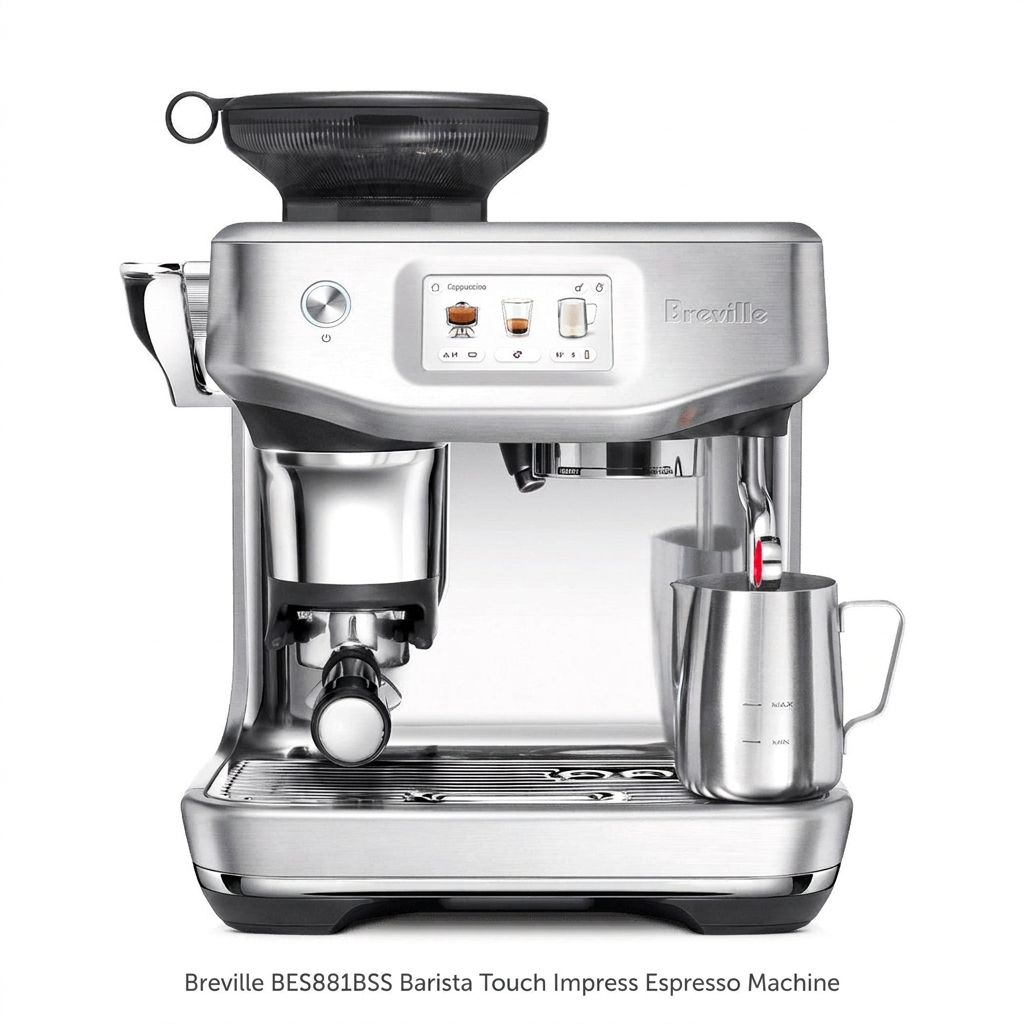
The full package: touchscreen, tamping lever, portafilter and automatic steam wand.
Other Breville machines I tested
For the same assisted tamping with a pressure gauge and buttons, see my Barista Express Impress review.
For a touchscreen without the Impress lever, read my Breville Barista Touch review.
For automatic grinding and tamping into a 58 mm portafilter, see the Oracle Jet review.
Which one is right for you: is the Breville Barista Touch Impress your match?
4 quick questionsBreville Barista Touch Impress specifications
From manufacturer data and my own testing.
How I tested and scored the Breville Barista Touch Impress
For four weeks, I used the Breville Barista Touch Impress as my household's everyday espresso machine for espresso, long blacks, americanos, flat whites, lattes and cappuccinos.
I logged dose feedback, grind settings and shot times, tested temperatures from 194 to 204°F and ran the dose calibration once.
I compared automatic and manual milk with whole, oat, almond and soy milk, and followed every daily and prompted cleaning routine.
I then checked my notes against Breville's specifications and owner documentation.
- Espresso (8.7): body, crema, flavor and consistency.
- Milk drinks (8.8): automatic and manual texture, temperature control and speed.
- Ease of use (9.0): guidance, tamping, dose feedback and saved drinks.
- Cleaning (8.3): daily wiping, purge, backflushing and descaling prompts.
The overall score of 8.7 is an editorial rating that reflects those four areas.
Breville Barista Touch Impress FAQ
Is the Breville Barista Touch Impress good for beginners?
Yes. The touchscreen guides you, the lever tamps for you and the machine tells you if the dose is right, so it is one of the easiest real espresso machines to learn.
How does the Impress tamping work?
A lever presses a built-in tamper into the basket, measures how full it is and asks for a top-up if needed. A second pull polishes the puck.
Can I steam milk manually?
Yes. Tap the manual steam button on the screen to control the wand yourself, which gives finer microfoam for latte art.
What milk types does it support?
It has settings for dairy, almond, oat and soy milk that adjust heating and air for each.
How fast does it heat up?
The ThermoJet heater is ready in about three seconds. Run a blank shot to warm the portafilter first.
How many grind settings does it have?
30 numbered settings on a stepless dial.
Can I change the brew temperature?
Yes. The default is 200°F, and you can set anywhere from 192°F to 207°F.
How many drinks can I save?
Up to eight custom drinks, each with its own name and settings.
Does it warn me when the water is low?
Yes. A magnetic float and sensor warn you before the tank runs dry.
Is the portafilter 54 mm or 58 mm?
54 mm. That limits some commercial accessories, but the puck prep system is designed around it.
Is the Sage Barista Touch Impress the same machine?
Yes. The Sage version sold in Europe is the same machine.
Kitchen & coffee tester
Michael spent six years as a line cook in restaurants in Chicago and New York, and he has tested kitchen appliances for HouseholdMe since 2018, from air fryers to coffee makers. He holds an SCA certificate in barista skills and used the Breville Barista Touch Impress as his everyday coffee machine for four weeks for this review, working from testing notes he compiled together with the HouseholdMe team.
- Four weeks of hands-on testing of the Breville BES881BSS Barista Touch Impress
- Breville product specifications and owner documentation
- General espresso brewing, milk texturing and maintenance guidance