Shark PowerDetect Pet Plus Clean & Empty review
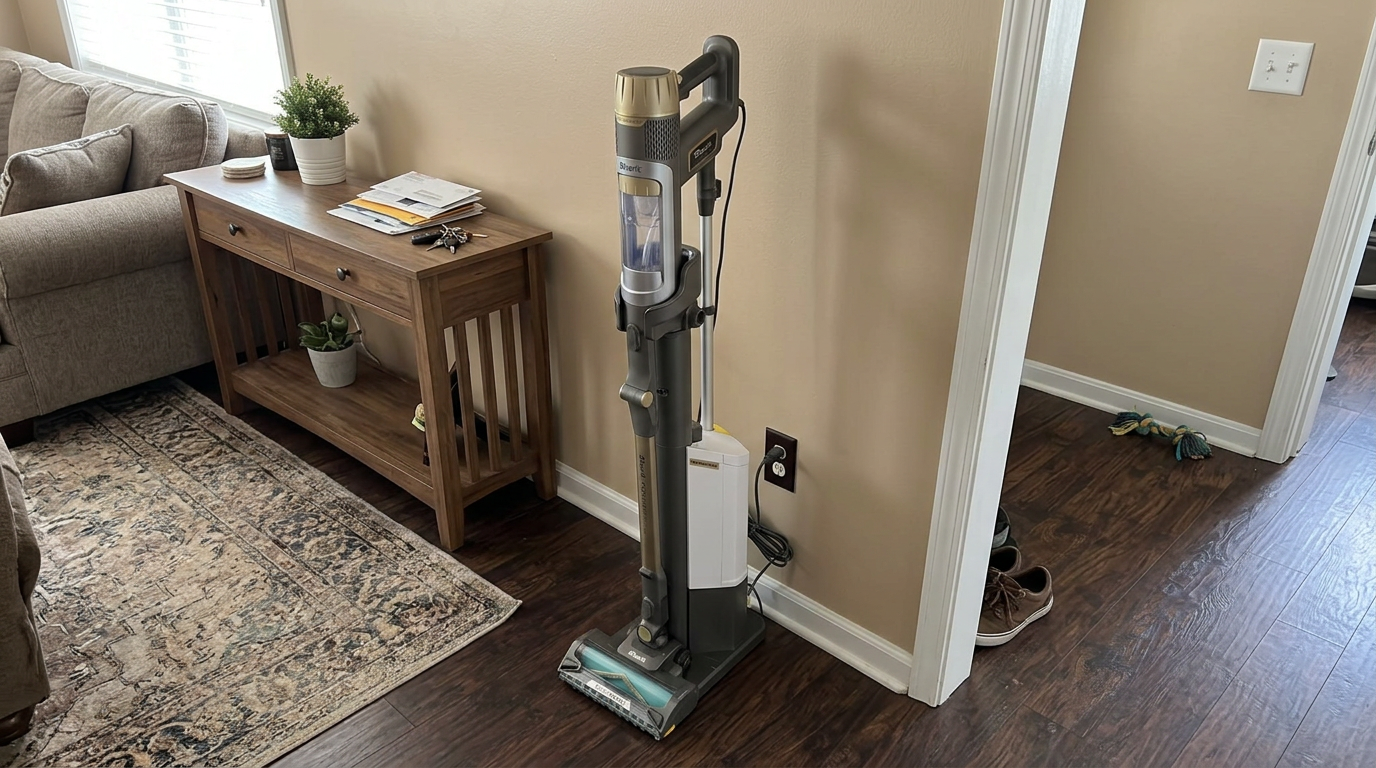
The Shark PowerDetect Pet Plus Clean & Empty Cordless Vacuum IP3253 is a cordless stick vacuum with a self-emptying, bagless charging dock, a DuoClean Detect floor head, four automatic sensors and a bendable wand. I used it as my main vacuum for three weeks in a home with hardwood, tile, rugs, wall-to-wall carpet and a long-haired dog. It pulled sand out of carpet better than any stick vacuum I've used, hair didn't wrap around the brush roll, and I never once tipped a dust bin over the trash. It's a little heavy in the hand, loud on boost and short on tools, but for a pet home it's a superb choice.

Emily Carter
Hands-on review
Hands-on testing, research, specs
3 weeks
27 minutes
Jargon helpNew to stick vacuums? Tap any dotted term to see what it means.
In this review
Yes, especially if you have pets and a mix of floors. The Shark PowerDetect Pet Plus IP3253 has the strongest suction I've felt from a Shark cordless, a DuoClean Detect head that handles hard floors and carpet without a swap, and hair-removal combs that kept long dog hair off the brush roll for three weeks. Four sensors raise power on carpet, dirt, edges and backward strokes, and the bagless Clean & Empty dock empties and charges it every time you put it away. It's heavier in the hand than lighter sticks, loud on boost, has a basic battery display and no motorized pet tool.
Shark PowerDetect Pet Plus at a glance
Shark PowerDetect Pet Plus pros and cons
- Outstanding deep carpet and debris pickup
- Long hair doesn't wrap around the brush roll
- Bagless dock empties and charges it automatically
- Heavier in the hand than lighter sticks
- Loud on boost
- Basic tools and a simple battery display
Who should buy the Shark PowerDetect Pet Plus?
- Homes with shedding dogs or cats
- Mixed hardwood, tile, rugs and carpet
- Anyone who hates emptying a dust bin
- People who find heavier sticks tiring
- Car and upholstery cleaning as a main job
- Very small apartments with no room for a dock
First impressions of the Shark PowerDetect Pet Plus
The box is big, mostly because of the dock.
Inside are the stick vacuum, the DuoClean Detect floor head, the MultiFLEX wand, the Clean & Empty base, a duster crevice tool, a pet multi-tool and an odor neutralizer insert.
Setup took me about ten minutes, most of it spent clicking the dock's upright post into its base and finding a spot near an outlet.
The vacuum itself feels solid and premium, with a chunky handle and a removable battery pack under the grip.
The floor head is wide and low, with a row of LED headlights across the front and a sensor on one side.
My first impression was that this is a serious machine, not a quick-grab stick.
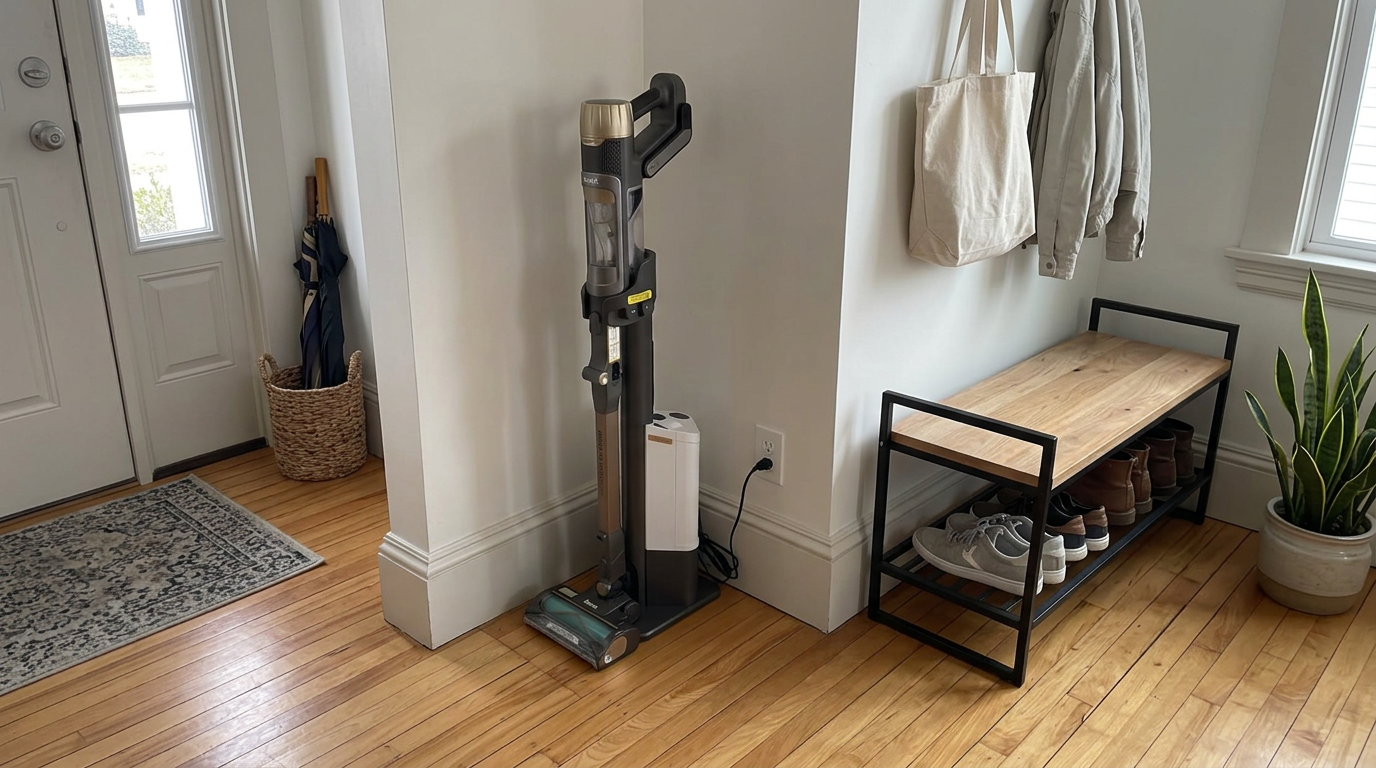
The DuoClean Detect floor head, with its LED headlights and edge sensor.
Our tip: Unbox the dock first and decide where it will live before you charge anything, because it needs a wall outlet, a little clearance above for lifting the vacuum out, and a spot you'll actually walk past every day.
Setting up the Clean & Empty dock
The dock is the reason this model exists, so I gave it a proper home.
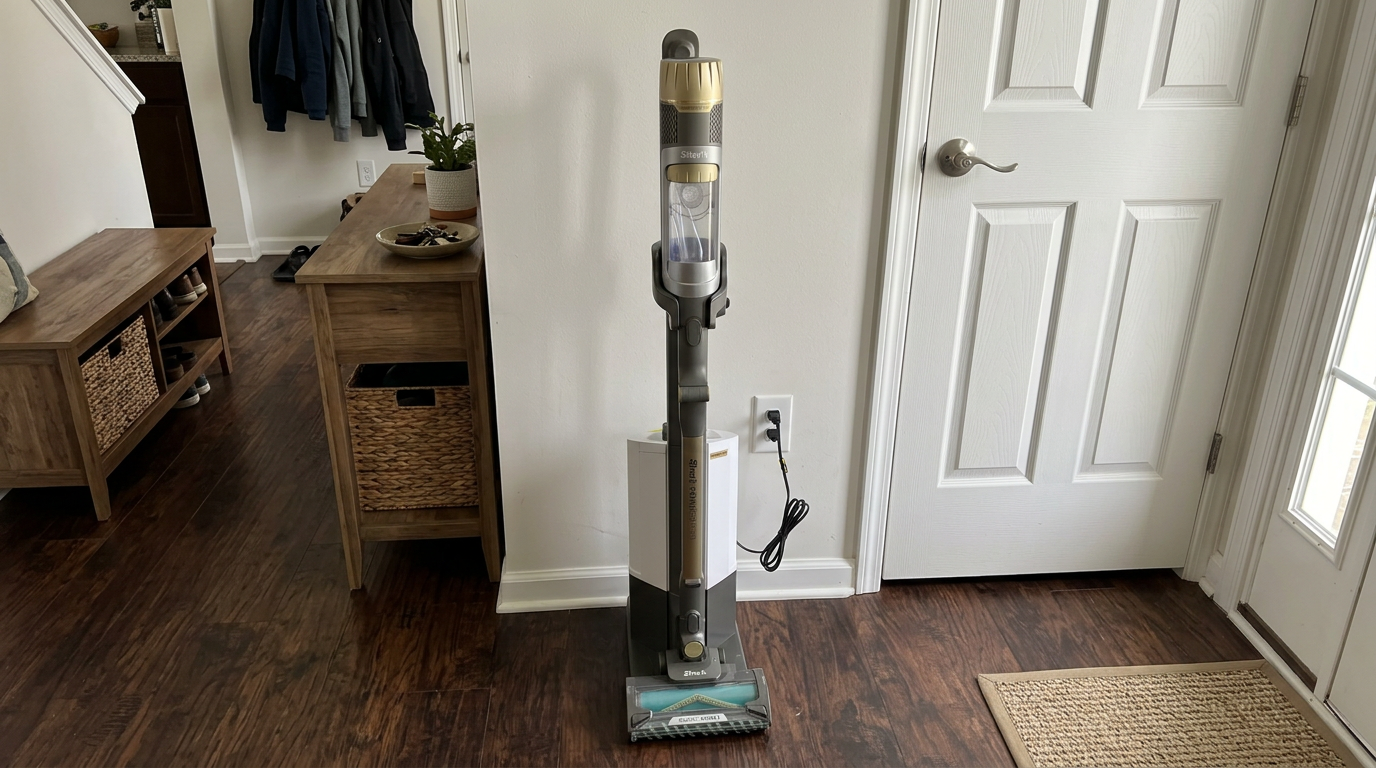
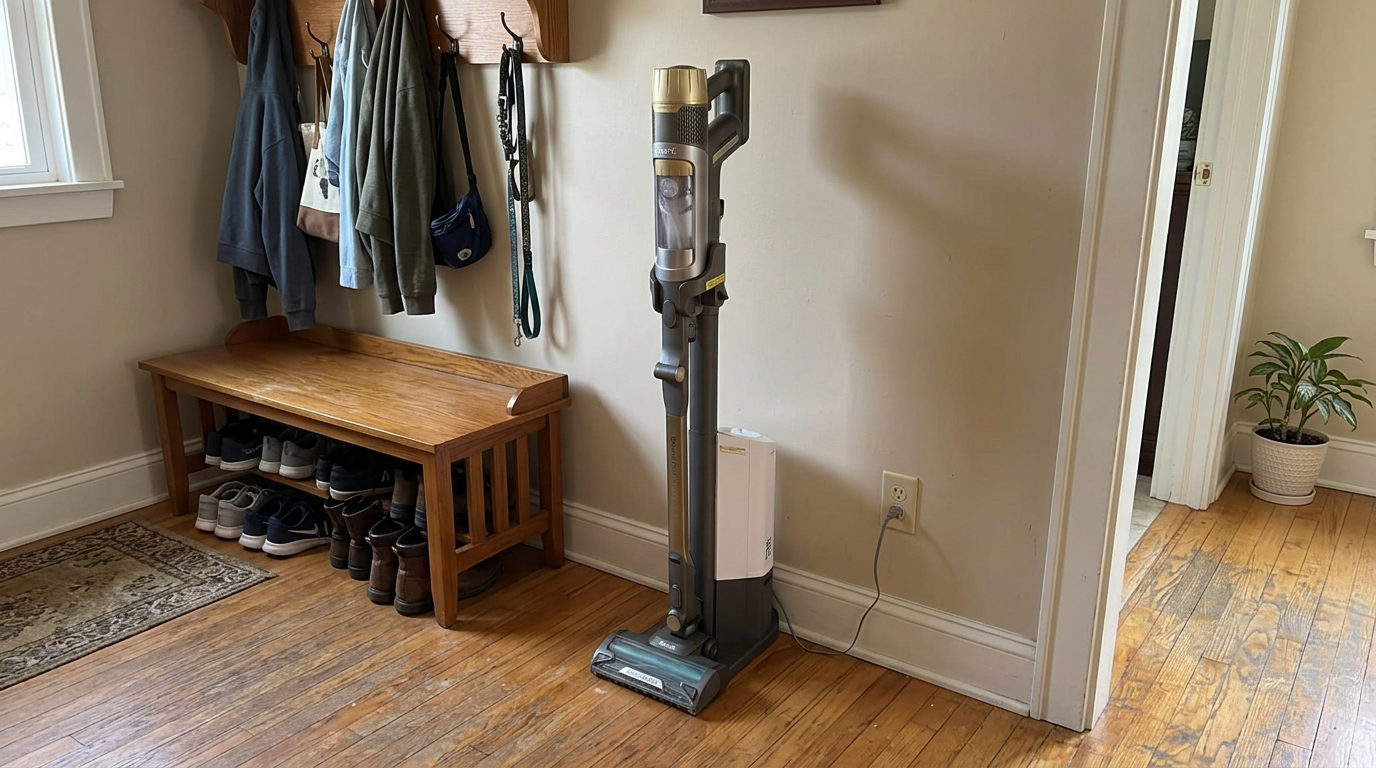
It stands roughly hip height and takes up about the footprint of a small kitchen trash can.
I put it in the corner of my hallway, between the kitchen and the living room, where the dog tracks in most of the dirt.
You lower the vacuum onto the base and it locks into place, then charging starts and, if auto-empty is on, the dock pulls the dirt out of the vacuum's bin.
The first empty startled me, because it's a short, loud whoosh.
After a few days it became a satisfying sound that meant the job was finished.
| Setup step | Time it took | Difficulty |
|---|---|---|
| Assemble the dock | About 5 minutes | Easy |
| Attach the wand and head | Under 1 minute | Easy |
| First full charge | A few hours | Wait |
| Choose a dock spot | Longer than expected | Plan ahead |
Our tip: Leave a hand's width of space behind and above the dock, because lifting the vacuum straight up and out is much easier when it doesn't brush against a shelf or a coat hook.
The DuoClean Detect floor head
The floor head uses Shark's DuoClean✕DuoCleanA floor head with two brush rolls: a soft roller at the front for fine dust and larger debris on hard floors, and a bristle roller behind it for agitating carpet. design, with a soft front roller and a bristle brush roll behind it.
In practice, that meant I never had to change heads when I moved from hardwood onto a rug.
Many cordless vacuums push bigger debris like cereal or kibble forward because the head can't get over it.
This one swallowed it.
I tested with dry dog food, rice, coffee grounds and sand on my kitchen tile, and it collected everything in one or two passes.
On my living room carpet, it lifted the dog's undercoat and crumbs just as well.
Pickup ratings on my floors over three weeks.
Our tip: Do one slow pass rather than three fast ones on carpet, because the bristle roller needs a moment of contact to pull dirt up from the base of the fibers.
Deep carpet cleaning: the standout result
This is where the PowerDetect impressed me most.
Surface crumbs are easy for most stick vacuums, but fine grit that sinks into carpet is a different job.
To test it, I worked a measured cup of fine play sand into a section of my medium-pile bedroom carpet and walked over it to push it down.
Then I vacuumed the patch with a set number of slow passes on the highest power and weighed what ended up in the bin.
Almost all of the sand came out.
When I ran my hand over the carpet afterwards, I couldn't feel any grit left behind.
I repeated the test a week later on the hallway runner and got the same result.
| Deep carpet test | Result |
|---|---|
| Carpet | Medium-pile bedroom carpet |
| Debris | Fine play sand, worked into the pile |
| Passes | Set number of slow passes on boost |
| Sand recovered | Nearly all of it |
| Grit left by touch | None I could feel |
Suction power
Shark says this is its most powerful cordless suction, and it felt like it.
With the floor head off, the pull at the end of the wand was strong enough to grab a dropped sock off the floor from a few inches away.
It's not just about raw power, though.
The floor head's design, the airflow and how well it keeps contact with the floor all matter for real cleaning.
Here the combination works: strong suction plus a head that grips carpet is what made the sand test so good.
On hard floors, the story is slightly different, which I cover further down.
How the suction felt in each mode.
Our tip: Start in auto mode and let the sensors do the work, because boost is so strong that it can pull lightweight rugs and bath mats up against the floor head.
Pet hair pickup
My dog is a long-haired mix who sheds year-round, so hair is the real test in my house.
The PowerDetect picked up hair from hardwood, tile, rugs and carpet without leaving tufts behind.
Clumps that collect under the dining table vanished in one pass.
On the living room rug, where hair weaves into the pile, a couple of slow passes in auto mode pulled it out.
The LED headlights made a big difference, because they lit up hair I simply couldn't see in normal room light.
By the end of the first week, the rug looked cleaner than it had in months.
| Surface | Dog hair pickup | Passes needed |
|---|---|---|
| Hardwood | Excellent | 1 |
| Tile | Excellent | 1 |
| Low-pile rug | Excellent | 1–2 |
| Medium-pile carpet | Very good | 2 |
| Dog bed cover | Good with pet tool | Several |
Our tip: Vacuum the dog's favorite spots first while the battery is full, because hair-heavy areas are where the sensors raise power the most and you want the strongest suction there.
Anti-hair-wrap: does it really work?
Hair wrapped around the brush roll is my least favorite vacuum chore.
Usually I'm cutting a tangle off with scissors every week or two.
The PowerDetect uses anti-hair-wrap✕Anti-hair-wrapSmall comb-like teeth built into the floor head that strip hair off the brush roll as it spins, so long hair goes into the bin instead of tangling. combs inside the floor head that strip hair off the roller as it turns.
After three weeks of daily use in a house with a long-haired dog and my own shoulder-length hair, I flipped the head over expecting the usual mess.
There were a few short strands at the ends of the roller and nothing wound around the middle.
I didn't need scissors once during testing.
From weekly checks of the brush roll during testing.
Floor Detect
The PowerDetect name comes from four sensors that adjust the vacuum automatically.
The first is Floor Detect, which senses whether you're on a hard floor or carpet.
On hardwood and tile, it lowers the brush roll speed and suction so light debris isn't blown around.
On carpet, it ramps both up to dig into the fibers.
I could hear the change every time I crossed from the kitchen tile onto the living room rug.
I never touched a power button for normal cleaning in three weeks.
| Floor | What the vacuum did | My result |
|---|---|---|
| Tile | Lower brush speed and suction | No scattering |
| Hardwood | Lower brush speed and suction | Clean pickup |
| Area rug | Higher brush speed and suction | Deep pickup |
| Bedroom carpet | Higher brush speed and suction | Deep pickup |
Our tip: Clean all the hard floor in a room before you move onto the rug, because each floor change takes the motor a moment to settle and fewer switches save battery.
Dirt Detect
Dirt Detect raises suction when the vacuum senses a dirtier patch of floor.
When it moves back onto a cleaner area, power drops again.
I noticed it most in three places: the kitchen in front of the stove, the dog's water bowl corner and the entry by the back door.
In each spot, the motor rose for a second or two, then settled once the debris was gone.
That's useful because not every part of a home needs the same power.
It concentrates the battery where the mess actually is.
How often Dirt Detect raised power in each room.
Our tip: Go slowly over the places Dirt Detect reacts to, because the boost only lasts while the sensor sees dirt and a quick pass can leave the job half done.
Direction Detect: cleaning forward and backward
Direction Detect adjusts suction depending on whether you're pushing the vacuum forward or pulling it back.
The floor head also has a redesigned squeegee✕SqueegeeThe flexible strip under the back of the floor head. On this model it has channels that let debris in when you pull the vacuum toward you. with channels that let debris in on the backward stroke.
Most vacuums are better going forward, and I'm used to seeing crumbs left behind on the pull.
With the PowerDetect, I watched rice disappear in both directions.
It made my strokes feel more efficient, because every pass counted.
| Stroke | Debris picked up | Notes |
|---|---|---|
| Forward push | Excellent | Front roller grabs large debris |
| Backward pull | Very good | Channels let debris in |
| Side to side | Good | Narrower effective path |
Our tip: Use long, straight push-and-pull strokes rather than short scrubbing motions, because the sensor needs a clear direction to adjust suction properly.
Edge Detect and baseboards
Edge Detect uses a sensor on one side of the floor head.
When it senses a wall or the edge of furniture, it boosts suction along that side.
Dust tends to build up where the floor meets the baseboard, so this is a smart idea.
I ran the sensor side along my hallway baseboards and the kitchen cabinets, and it pulled out the line of grey dust that usually needs the crevice tool.
It only works on the sensor side, so I learned to plan my route so that side faced the wall.
Running the sensor side of the head along a baseboard.
Our tip: Keep the sensor side of the floor head against the wall, because Edge Detect only boosts suction on that one side and the other edge cleans like a normal head.
Hard-floor performance
On hardwood and tile, everyday pickup was excellent.
Crumbs, kibble, dust bunnies and hair all came up cleanly.
There's one small weakness.
The channels in the squeegee that help on the backward stroke also let extra air in, which slightly weakens the seal between the head and a hard floor.
I noticed it in the grout lines of my kitchen tile and in the gap between two hardwood boards, where fine dust took an extra pass.
It was a minor issue in real use and never left the floor looking dirty.
| Hard-floor test | Result |
|---|---|
| Crumbs and cereal | Excellent |
| Rice and kibble | Excellent |
| Fine dust in the open | Very good |
| Dust in grout lines | Good, needs a second pass |
| Gaps between boards | Good, needs a second pass |
Our tip: Make one extra slow pass across tile grout lines, angled diagonally, because the floor head's seal is a little weaker on hard floors and fine dust in the grooves needs more time.
Rugs, fringes and mats
Rugs went well in auto mode.
The head moved easily from hardwood onto a thick living room rug without catching the edge.
Rug fringes were the usual challenge.
Running the head straight across them pulled the tassels into the roller a couple of times, so I learned to vacuum parallel to the fringe.
The bathroom mat and the kitchen runner stayed put in auto mode but lifted on boost.
| Rug type | Result | Tip |
|---|---|---|
| Low-pile rug | Excellent | Auto mode is enough |
| Thick rug | Very good | Slow passes |
| Fringed rug | Good | Vacuum parallel to fringe |
| Lightweight mat | Good | Avoid boost |
Our tip: Stand on one end of a lightweight mat while you vacuum it, because the suction can drag the mat into the head and stall the brush roll.
LED headlights
The LED headlights sit right across the front of the floor head.
I didn't expect to care about them, but they changed how I cleaned.
Under the sofa and the bed, they lit up dust and hair that were otherwise invisible.
On my dark hardwood in the evening, they showed a scattering of fine dog hair I would have walked past.
They made it easy to see when an area was actually clean, so I spent less time going over the same patch.
My impression after three weeks.
Our tip: Turn off the overhead light in a room once in a while and vacuum by the headlights alone, because the low angle shows up hair and dust you can't see from above.
MultiFLEX wand and under-furniture reach
The MultiFLEX wand has a joint that lets it bend forward at a sharp angle.
Press a button and the top half folds, so the floor head stays flat while the handle drops low.
That let me reach under my bed, the sofa and the kitchen cabinets without kneeling.
With the lights on, I could see exactly what I was picking up under there.
It also folds the vacuum in half for compact storage when you're not using the dock.
| Spot | Reach without bending? | Result |
|---|---|---|
| Under the bed | Yes | Excellent |
| Under the sofa | Yes | Excellent |
| Under kitchen cabinets | Yes | Very good |
| Under a low TV stand | Mostly | Good |
Our tip: Bend the wand before you reach the furniture rather than under it, because folding it while the head is already under the sofa can bump the frame.
The Clean & Empty dock in daily use
This is the feature that changed my routine the most.
Every time I put the vacuum back, the dock pulled the dirt out of the vacuum's bin and into its own larger bin, then started charging.
I never emptied the small bin by hand once during testing.
Shark says the dock holds up to 45 days of debris.
In my pet home with daily vacuuming, it was about two-thirds full after three weeks, so that claim seems fair for a normal household.
There's also a switch if you want to turn auto-empty off and only empty when you choose.
How full the dock bin got in my pet home.
Bagless means no running costs
Many self-emptying vacuums use disposable bags in the dock.
That means buying replacement bags for as long as you own it.
The PowerDetect dock is bagless, with a reusable bin that you empty and put back.
I liked not having to keep a stock of bags, and not worrying about running out.
The trade-off is that you touch the dirt when you empty the dock bin, but only every few weeks instead of after every clean.
| Emptying style | How often you handle dirt | Ongoing purchases |
|---|---|---|
| Manual stick bin | After every clean | None |
| Bagged dock | Every few weeks | Bags |
| This bagless dock | Every few weeks | None |
Our tip: Tap the dock bin against the inside of the trash can before you open the flap fully, because packed hair can cling to the walls and a few taps loosen it.
Sealed filtration and dust control
Shark uses what it calls complete seal✕Complete sealA sealed design in which every joint between the motor, bin and filter is closed off, so dust that is sucked in can't leak back out into the room. filtration in both the vacuum and the dock.
To check it, I ran the vacuum in a dark room with a flashlight beam angled across the exhaust while it picked up fine flour.
I didn't see any dust escaping from the body or the joints.
I also watched the dock empty in the same beam, and the plume stayed inside.
With a dog in the house and a family member who sneezes easily, that matters to me.
The odor neutralizer insert also kept the dock from smelling like dog.
Our tip: Rinse the foam filters and let them air-dry fully before refitting, because a damp filter restricts airflow and can leave a musty smell in the dock.
Battery runtime
Shark claims up to 70 minutes, and that figure is for eco mode in handheld use without the floor head.
On the highest power with the floor head running, my battery lasted about 13 minutes.
In auto mode, which is how I used it almost all the time, I got between 30 and 40 minutes depending on how much carpet I covered.
That was enough to do my whole downstairs and the bedrooms in one go.
Because the vacuum charges on the dock after every clean, I always started with a full battery.
Runtime in my testing, plus Shark’s eco claim.
Our tip: Use auto mode for whole-house cleans and save boost for single problem spots, because a full run on boost with the floor head lasts only a fraction of the auto-mode time.
The battery display
The battery gauge is a simple row of LED lights.
It tells you roughly how much charge is left, but not an exact percentage or minutes remaining.
On a big clean, I sometimes wondered whether I had enough left for the stairs.
A numeric readout would make that easier.
In practice, the dock topped it up after every use, so I rarely ran out.
| Lights showing | What it meant in my use |
|---|---|
| All lights | Plenty for a whole-house clean |
| Most lights | Enough for several rooms |
| One light | Finish the room you are in |
| Flashing | Put it back on the dock |
Our tip: Do the stairs and any handheld jobs first, then the floors, because handheld work is where you least want the battery to die halfway through.
Removable battery
The battery slides out from under the handle.
That means it can be replaced later without replacing the whole vacuum, which helps the machine last longer.
You can also buy a second battery if you have a large home and want to keep going without waiting for a charge.
For my size of house, one battery and the dock were enough.
Our tip: Leave the vacuum on the dock between cleans rather than taking the battery out to charge separately, because the dock charges and empties at the same time and keeps your routine simple.
Handling and steering
Despite the big motor and battery, it steers easily.
The swivel joint at the floor head turns with a twist of the wrist, so I could weave around chair legs, the dog's bed and the kitchen island.
The handle is comfortable and the grip is wide enough for my whole hand.
The head moves smoothly on both carpet and hard floors, with no drag on thick rugs.
Over three weeks, handling was one of the things I enjoyed most.
From three weeks of daily use.
Our tip: Twist your wrist to steer instead of lifting the head to turn, because the swivel joint does the work and lifting the head breaks the suction seal.
Weight in the hand
This is not the lightest stick vacuum.
The bigger battery adds weight at the handle, and I felt it after about 15 minutes of continuous cleaning.
On the floor, the head carries most of the load, so it isn't tiring.
It's above floor level, on curtains, ceiling corners or stairs, that the weight shows.
It's still easier to hold than some heavy premium sticks I've used, but if you have wrist or shoulder issues, keep that in mind.
| Task | Effort | Notes |
|---|---|---|
| Floors | Low | The head carries the weight |
| Stairs | Medium | Short bursts are best |
| Curtains | Medium-high | Rest between drops |
| Ceiling corners | High | Brief jobs only |
Our tip: Keep your elbow tucked close to your body when you vacuum above floor level, because holding the vacuum at arm's length makes the heavier handle feel much heavier.
Noise
In auto mode on hard floors, it was a steady, moderate hum.
On carpet and especially on boost, it got noticeably loud.
My dog left the room every time boost kicked in.
It's not unusually loud for this much suction, but it's louder than an average stick vacuum.
The dock's emptying burst is the loudest moment of all, though it only lasts a few seconds.
How loud each mode felt in my home.
Our tip: Vacuum before a nap or quiet time rather than during it, because boost and the dock's emptying burst are loud enough to wake a light sleeper in the next room.
Tools and attachments
The tool set is the weakest part of the package.
You get a duster crevice tool and a pet multi-tool.
The crevice tool slides out to a brush for shelves and baseboards, and the pet multi-tool works on upholstery and pet beds.
There's no motorized handheld brush, which I really missed for the dog's favorite armchair.
For a vacuum with this many smart features, I expected more.
| Tool | Best for | My rating |
|---|---|---|
| Duster crevice tool | Corners, shelves, baseboards | Very good |
| Pet multi-tool | Sofas, pet beds, car seats | Good |
| Motorized pet brush | Not included | — |
Our tip: Use the pet multi-tool with short, overlapping strokes on fabric, because without a motorized brush it relies on suction alone and hair needs several passes to come free.
Handheld mode
Pull the wand off and it becomes a handheld vacuum.
It's powerful in this mode, and the crevice tool fits straight onto the body.
The shape is a bit awkward, though.
The bin and motor sit in front of your hand, so getting into tight spots like car footwells or between sofa cushions takes some angling.
A flexible hose would make this much easier, and one isn't included.
| Handheld job | Result |
|---|---|
| Sofa cushions | Good |
| Stairs | Very good |
| Car seats | Good, a little awkward |
| Car footwells | Fair |
| Window sills | Very good |
Our tip: Keep the wand on and use the crevice tool at the end of it for high corners and skirting, because the extra length gives better reach than the bare handheld shape.
Stairs
My carpeted staircase has 14 steps and a dog who sleeps on the landing.
I did it in handheld mode with the pet multi-tool, and the suction pulled hair out of the carpet edges well.
The weight meant I took a short break halfway.
The battery had plenty left after the stairs, even in auto mode.
For a quick top-up, I sometimes left the wand on and ran the floor head across each step from below, which worked surprisingly well.
Our tip: Start at the top of the stairs and work down, because the debris you knock loose falls onto steps you haven't cleaned yet instead of the ones you just finished.
Kitchen and everyday messes
The kitchen got the most attention.
Crumbs around the toaster, flour on the floor after baking and spilled dry dog food were all one-pass jobs.
The front roller was great at taking in bigger debris without pushing it.
I also tried coffee grounds and a spill of cat litter at a friend's house, and both disappeared quickly.
It's dry debris only, so wet spills need a cloth first.
| Mess | Passes | Result |
|---|---|---|
| Toast crumbs | 1 | Excellent |
| Flour | 1–2 | Very good |
| Dry dog food | 1 | Excellent |
| Coffee grounds | 1 | Excellent |
| Cat litter | 1–2 | Very good |
Our tip: Wipe up anything damp before you vacuum, because wet crumbs and spills can stick to the soft roller and the bin and turn into a paste that's hard to clean.
Room by room in my home
I kept notes on every room over the three weeks.
Some rooms played to the vacuum's strengths better than others.
| Room | Floor | Rating | Note |
|---|---|---|---|
| Kitchen | Tile | Excellent | Great with big debris |
| Living room | Rug and hardwood | Excellent | Hair gone in one or two passes |
| Hallway | Runner and hardwood | Excellent | Edge Detect on baseboards |
| Bedroom | Carpet | Outstanding | Best deep clean |
| Bathroom | Tile | Very good | Small space, easy steering |
| Stairs | Carpet | Very good | Heavier in handheld mode |
Our tip: Vacuum rooms in the order of how dirty they are, from cleanest to dirtiest, because you'll spend most of the battery where the sensors raise power and you won't run out before the light rooms.
Do the smart features make a real difference?
Before testing, I wondered whether four sensors were mostly marketing.
After three weeks, I think they help in a quiet, practical way.
I never had to think about power settings.
The vacuum used more battery on dirty carpet and less on clean hardwood, which is exactly what I'd do by hand if I had the patience.
Edge Detect and Direction Detect are subtler, but together they made each pass feel more effective.
| Sensor | What it does | How useful I found it |
|---|---|---|
| Floor Detect | Sets power for carpet or hard floor | Very useful |
| Dirt Detect | Raises power on dirty patches | Very useful |
| Direction Detect | Adjusts power for push and pull | Useful |
| Edge Detect | Boosts suction along walls | Useful |
Three weeks with the Shark PowerDetect Pet Plus
Week one: I learned the dock, the sensors and the sounds.
The deep carpet test blew me away, and I stopped reaching for any other vacuum.
Week two: I vacuumed almost every day because it was so easy to grab off the dock.
The rug looked better than it had in months, and the brush roll was still clean.
Week three: I emptied the dock bin for the first time and cleaned the filters.
The only things that still bugged me were the weight on the stairs and the lack of a motorized tool.
How satisfied I felt each week.
Our tip: Give yourself a week to learn where the sensor side of the head is and how the dock feels, because once those become habits, the vacuum is much faster to use.
Maintenance and cleaning
Upkeep is light.
Every few weeks, empty the dock bin.
Rinse the foam filters about once a month and let them air-dry fully.
Check the ends of the brush roll for stray hair once a week.
Wipe the LED lens and the edge sensor with a dry cloth so they keep working well.
| Task | How often | Time |
|---|---|---|
| Empty dock bin | Every few weeks | 2 minutes |
| Check brush roll ends | Weekly | 1 minute |
| Rinse foam filters | Monthly | 5 minutes plus drying |
| Wipe sensor and LEDs | Monthly | 1 minute |
| Check the dock intake | Monthly | 1 minute |
The dock bin and filters, ready for a rinse.
Our tip: Set a monthly phone reminder for the filters, because the dock does the daily work so well that it's easy to forget the vacuum still needs a little care.
Troubleshooting what I ran into
A few small things came up during testing.
None were serious, but they're worth knowing.
| Problem | Cause | Fix |
|---|---|---|
| Dock didn’t empty | Auto-empty switch was off | Turn the switch back on |
| Brush roll stopped | Rug fringe caught | Lift head, clear fringe |
| Mat stuck to head | Boost on light mat | Use auto mode |
| Weaker suction | Damp or dirty filter | Rinse and dry fully |
| Not charging | Vacuum not fully seated | Lower it until it clicks |
Our tip: If the dock doesn't empty, check that the vacuum clicked fully into place before anything else, because a half-seated vacuum won't charge or empty.
What it means for pet owners
As a dog owner, this is the vacuum I'd choose.
Hair pickup is excellent, the anti-wrap combs save a weekly chore and the sealed system keeps dander inside.
The dock means I never empty a bin full of hair and dust by hand.
The odor neutralizer helped too.
The one thing pet owners will miss is a motorized brush for furniture.
My ratings from daily use with a long-haired dog.
Our tip: Vacuum the pet bed with the pet multi-tool once a week, then the floor around it, because hair from the bed spreads onto the floor every time your pet gets up.
Mistakes to avoid
A few lessons from my three weeks.
Don't run boost on a whole room, because it drains the battery fast.
Don't push straight across rug fringes.
Don't refit damp filters.
Don't put the dock where you have to stretch to lift the vacuum out.
And don't forget that the edge sensor is on one side only.
Our tip: Read the quick-start sheet for the dock's auto-empty switch, because it's easy to bump it off while cleaning the base and then wonder why the bin isn't emptying.
Who it suits in real life
It suits busy families, pet owners and anyone with a mix of carpet and hard floors.
It's a great fit for people who want to vacuum often without the chore of emptying a bin.
It's less ideal for small apartments with no spare corner for a dock, or for people who mostly want a vacuum for the car and furniture.
If lifting a heavier handle is hard for you, try to hold one before you buy.
| Household | Fit | Why |
|---|---|---|
| Family with pets | Excellent | Hair pickup and self-emptying |
| Mixed floors | Excellent | No head swaps |
| Allergy-prone home | Very good | Sealed system |
| Small apartment | Fair | Dock takes space |
| Car-focused cleaning | Fair | No hose, basic tools |
Our tip: Measure the corner where you plan to put the dock before you order, because it's taller than you'd expect once the vacuum sits in it.
Is the Shark PowerDetect Pet Plus worth the money?
For pet homes with mixed floors, yes.
You get outstanding deep carpet cleaning, hair-free brush rolls, four sensors that handle power for you and a bagless dock that ends bin-emptying.
It costs less than many flagship cordless vacuums while matching or beating them where it counts.
The trade-offs are weight, noise and a thin tool kit.
Three questions to ask:
Do you have pets or lots of carpet?
Do you hate emptying a bin?
And do you have a corner with an outlet for the dock?
How it compares with other types of vacuum
| Feature | Shark PowerDetect Pet Plus | Basic cordless stick | Corded upright | Robot vacuum |
|---|---|---|---|---|
| Self-emptying | Yes, bagless | No | No | Some models |
| Deep carpet | Outstanding | Fair | Excellent | Fair |
| Hard floors | Excellent | Good | Good | Good |
| Pet hair wrap | Almost none | Common | Common | Common |
| Weight in hand | Above average | Light | Heavy | — |
| Effort | Low | Low | Medium | Very low |
| Your priority | Is it a fit? | Why |
|---|---|---|
| Pet hair | Excellent | Anti-wrap combs and strong suction |
| Deep carpet cleaning | Excellent | Top result in my sand test |
| No bin emptying | Excellent | Bagless auto-empty dock |
| Lightest weight | Fair | Heavier battery and handle |
| Lots of tools | Fair | Two basic tools |
Which one is right for you: is the Shark PowerDetect Pet Plus your match?
4 quick questionsShark PowerDetect Pet Plus specifications
From manufacturer data, retailer listings and my own testing.
How I tested and scored the Shark PowerDetect Pet Plus
For three weeks, the Shark PowerDetect Pet Plus was my main vacuum in a home with hardwood, tile, rugs, wall-to-wall carpet and a long-haired dog.
I tested pickup of crumbs, rice, kibble, coffee grounds, flour and sand on hard floors, ran a deep carpet sand test twice, checked dust escape with a flashlight beam and tracked hair on the brush roll weekly.
I timed the battery in boost and auto modes, used both tools on stairs, furniture and the car, and lived with the dock every day.
- Cleaning power (9.5): outstanding deep carpet and debris pickup.
- Pet hair (9.3): excellent pickup, almost no brush wrap.
- Convenience (9.1): bagless auto-empty dock and automatic power.
- Handling and tools (7.6): heavier handle, loud boost, basic tools.
The overall score of 8.9 is an editorial rating that reflects those four areas.
Shark PowerDetect Pet Plus FAQ
Is the Shark PowerDetect Pet Plus worth it?
Yes, especially for pet homes with carpet and mixed floors. It has excellent deep carpet pickup, almost no hair wrap and a bagless dock that empties it automatically.
Does the Clean & Empty dock use bags?
No. The dock has a reusable bin that you empty into the trash, so there are no bags to buy.
How long does the dock hold debris?
Shark says up to 45 days. In my pet home with daily vacuuming, it was about two-thirds full after three weeks.
How long does the battery last?
Up to 70 minutes in eco mode in handheld use, according to Shark. I got 30 to 40 minutes in auto mode and about 13 minutes on boost with the floor head.
Does hair wrap around the brush roll?
Hardly at all. Anti-hair-wrap combs strip hair off the roller. After three weeks I found only a few strands at the roller ends.
Do I need to change floor heads for carpet and hard floors?
No. The DuoClean Detect head handles both, and Floor Detect adjusts power automatically.
What are the four PowerDetect sensors?
Floor Detect, Dirt Detect, Direction Detect and Edge Detect. They adjust suction and brush speed for floor type, dirt, stroke direction and walls.
Can I turn off auto-empty?
Yes. A switch on the dock lets you choose whether it empties every time you put the vacuum back.
Is it loud?
It's moderate in auto mode on hard floors but loud on boost, and the dock's emptying burst is loud for a few seconds.
Does it come with a motorized pet tool?
No. It includes a duster crevice tool and a pet multi-tool, but no motorized brush or flexible hose.
Is the battery removable?
Yes. It slides out from under the handle, so it can be replaced later.
Is it good for allergies?
Its sealed filtration kept dust inside the vacuum and the dock in my flashlight test, and the bagless dock means you handle dust far less often.
Senior home appliance tester
Emily has tested home appliances for a living since 2016, first as a test coordinator at a national consumer advocacy group and, since 2021, at HouseholdMe. She has a degree in industrial design from Ohio State, so she looks at how a product is built, not just how it performs. She used the Shark PowerDetect Pet Plus as her main vacuum for three weeks for this review.
- Three weeks of hands-on testing of the Shark PowerDetect Pet Plus IP3253
- Shark product information and user manual