Ember Mug 2 review
The Ember Temperature Control Smart Mug 2, 10 oz keeps coffee and tea at the exact temperature you choose. It has a stainless-steel body with a ceramic coating, a weighted base with a rubberized bottom, a default of about 135°F that you can fine-tune in 0.5-degree steps in the app, about 90 minutes of battery and all-day warmth on its charging coaster. I tested it for three weeks at my desk, on the couch and outdoors on a cold morning. It made every sip enjoyable and cut wasted coffee, but you need the app to change the temperature, and it is hand wash only.

Emily Carter
Hands-on review
Hands-on testing, research, specs
3 weeks
26 minutes
Jargon helpNew to this kind of product? Tap any dotted term to see what it means.
In this review
Yes, if you sip coffee or tea slowly and hate it going cold. The Ember Mug 2 held my coffee at exactly the temperature I chose, so every sip tasted like the first and I stopped pouring cold coffee down the sink. Its weighted base felt stable on the couch, the ceramic coating kept the taste clean and the battery lasted about 90 minutes indoors and nearly an hour on a frosty morning. You need the app to change the temperature, there are no physical controls and it is hand wash only, but for slow drinkers and home workers, it is a genuinely enjoyable upgrade.
Ember Mug 2 at a glance
Ember Mug 2 pros and cons
- Holds drinks at your exact temperature
- Solid, stable build with a weighted base
- All-day warmth on the charging coaster
- App needed to change temperature
- About 90 minutes on battery
- Hand wash only
Who should buy the Ember Mug 2?
- Slow coffee and tea drinkers
- People who work from home
- Gift buyers for coffee lovers
- Quick coffee drinkers
- People who dislike apps
- Large-mug tea drinkers
First impressions of the Ember Mug 2
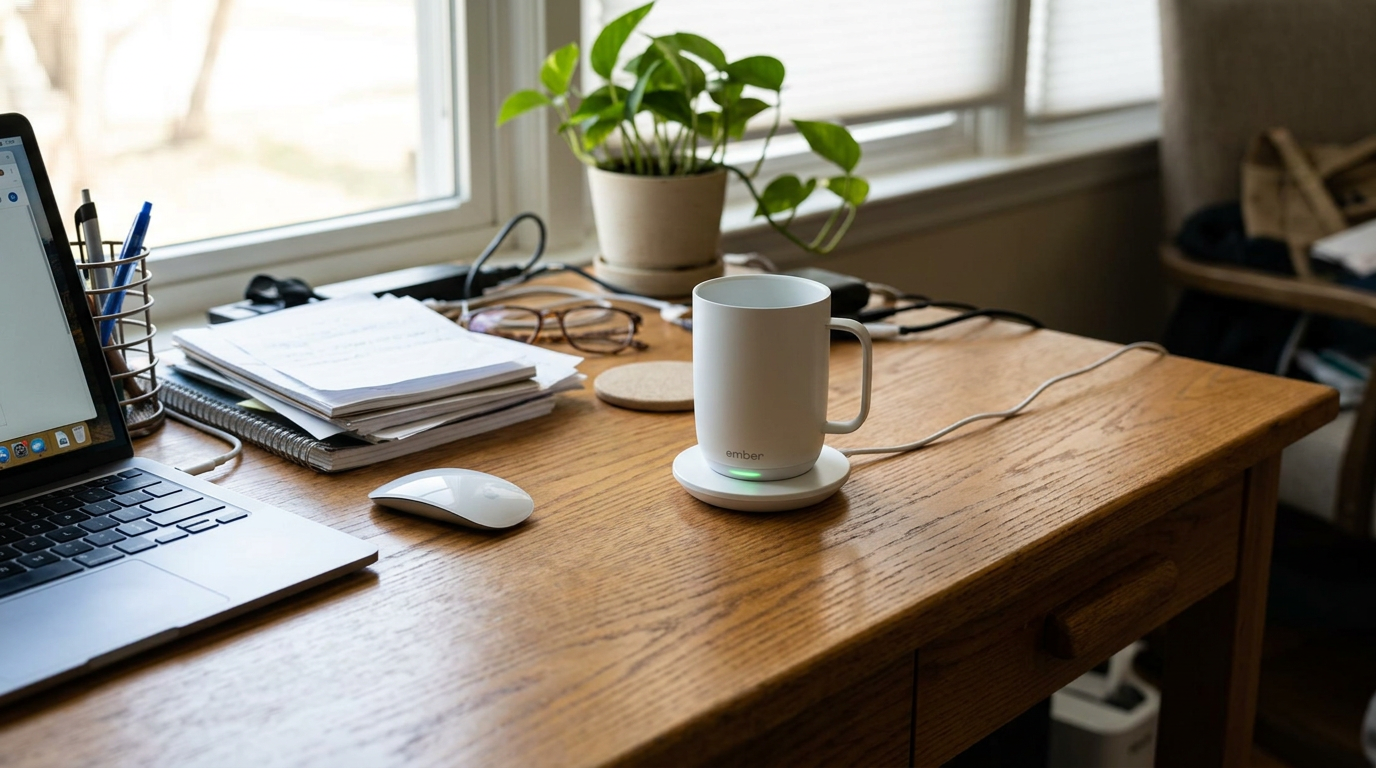
The Ember Mug 2 is a 10-ounce mug that keeps coffee or tea at the exact temperature you choose.
A heating element, a battery and a temperature sensor are built into its base.
Out of the box, it feels like a premium mug rather than a gadget.
The body is stainless steel with a smooth ceramic coating inside, and there are no cheap plastic parts on the outside.
It comes with a round charging coaster.
You set the mug on it, and it charges through contacts on the bottom.
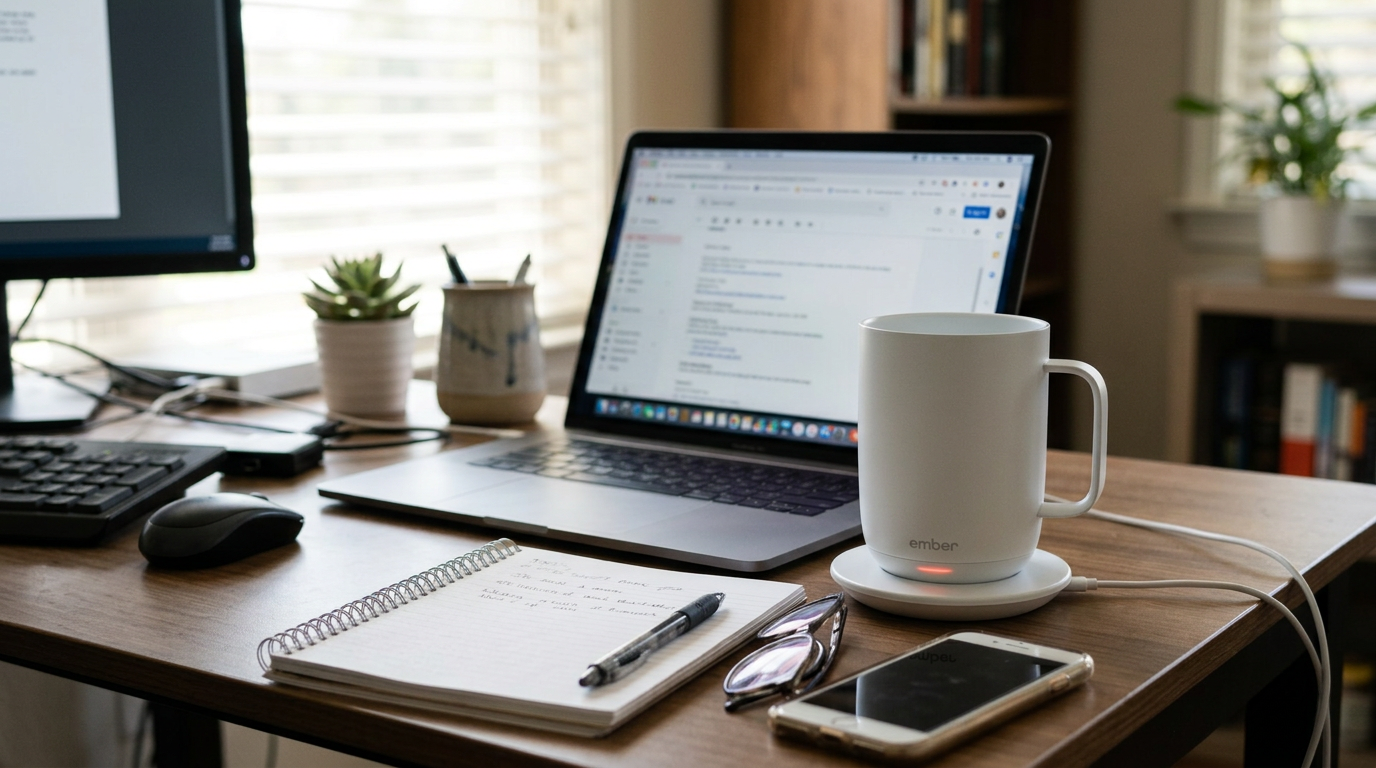
The Ember Mug 2 sitting on its charging coaster.
I tested it for three weeks at my desk, on the couch, on the patio and on a cold morning outdoors.
I drank coffee, black tea, green tea and hot chocolate in it, usually two or three drinks a day.
Our tip: Charge the mug fully on its coaster before your first drink, because a full battery gives you the clearest idea of how long it really lasts away from the coaster.
Setup and the Ember app
Setup took about five minutes.
I plugged in the coaster, set the mug on it and downloaded the Ember app.
The app found the mug over Bluetooth quickly.
It asked me to name it and choose a color for the small light on the front.
You do not need the app to use the mug.
Out of the box, it holds drinks at a default of about 135°F.
You do need the app to change that temperature.
There is no dial or button on the standard mug for adjusting it.
| Setup step | Time | Notes |
|---|---|---|
| Plug in coaster | About 1 minute | Small round base |
| First charge | About 1 to 2 hours | Light shows charging |
| Install app | About 2 minutes | Bluetooth pairing |
| Name and color | About 1 minute | Helps tell mugs apart |
| Set temperature | A few seconds | Slider in 0.5° steps |
Our tip: Set your favorite temperature in the app on day one and leave it, because the mug remembers it and you will rarely need to open the app again after that.
Build quality and design
The Ember Mug 2 is solid and well made.
The stainless-steel body feels sturdy, and the ceramic coating✕Ceramic coatingA thin layer of ceramic bonded to the inside of the mug. It gives drinks a clean taste like a regular ceramic mug and is smooth and easy to rinse. inside keeps the taste clean, with no metallic flavor.
It looks like a modern, minimal mug.
It has a curved handle, a smooth matte finish and a small light on the front that glows when you pick it up.
The handle is comfortable for two or three fingers.
It stayed cool even with the drink held at 140°F.
The ceramic coating cleaned easily with a quick rinse and a soft sponge, and it did not stain from tea or coffee during my test.
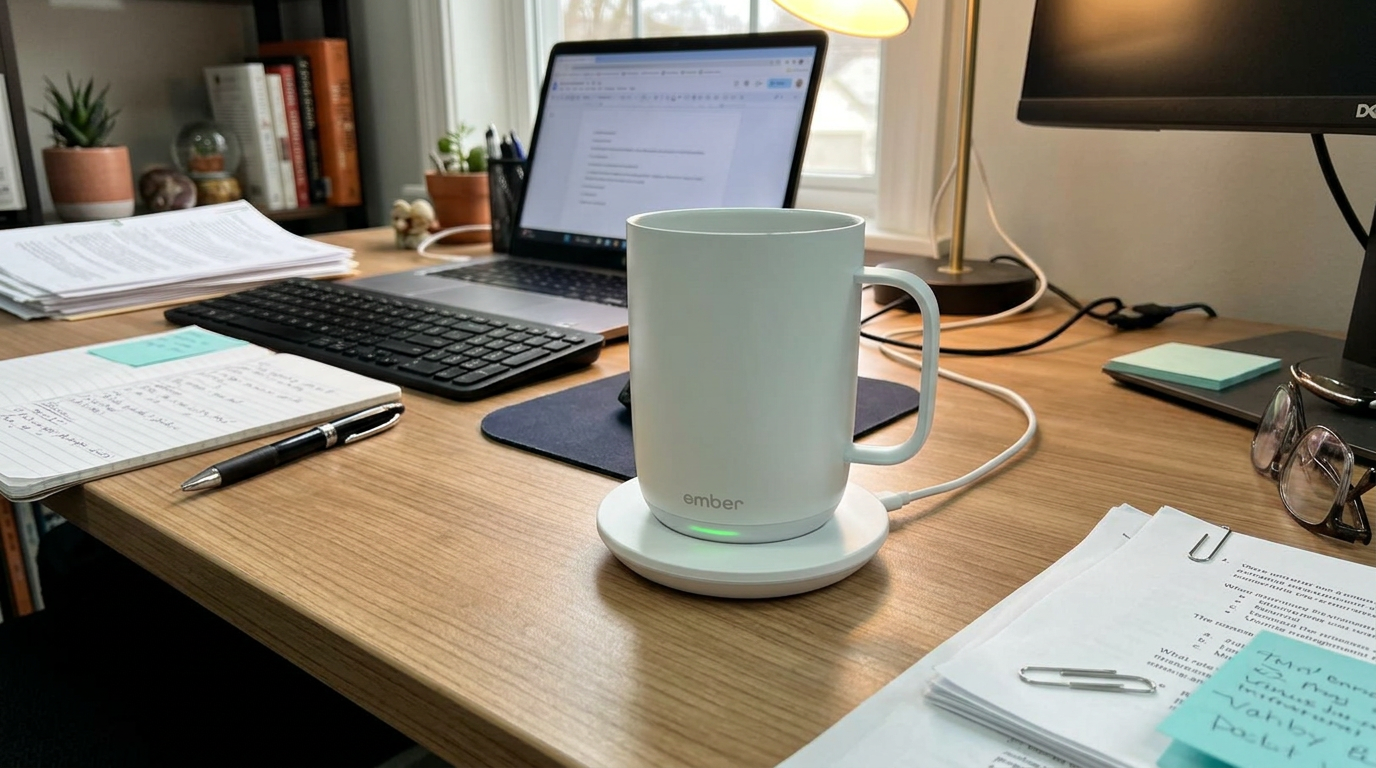
The stainless-steel body and comfortable handle.
Our tip: Rinse the mug soon after each drink, because coffee and tea are much easier to wipe from the ceramic coating before they dry and leave a ring.
The weighted base and stability
Most of the weight sits in the base, where the battery and heater live.
That gives the mug a low center of gravity.
In daily use, that made it noticeably more stable than my regular mugs.
On the couch armrest and a soft blanket, it stayed upright where a lighter mug would have tipped.
The rubberized bottom grips surfaces and protects furniture.
It never slid on my glass desk and did not leave marks on my wooden side table.
The mug is heavier than an ordinary 10-ounce mug.
I found the weight pleasant, but people who prefer a very light cup might notice it.
Our tip: Keep the mug on a flat, hard surface when you can, because it heats and senses temperature most accurately when it sits level rather than tilted on cushions.
How the temperature control works
When you pour in a hot drink, the mug detects the liquid and starts managing the temperature.
It does not boil or cook your coffee.
It keeps the drink from falling below your chosen temperature by adding small amounts of heat.
If your drink starts hotter than your setting, the mug lets it cool naturally to that point, then holds it there.
When the mug is empty or left still for a while, it goes to sleep to save battery.
It woke up again as soon as I picked it up or added more coffee.
Coffee temperature in the mug with a 136°F setting.
Our tip: Pour your coffee a few minutes after brewing when you can, because the mug saves battery if the drink starts closer to your chosen temperature.
Fine-tuning in the Ember app
The app lets you set the temperature in 0.5-degree steps.
That sounds fussy, but it made a real difference for me.
I tried settings from 130°F to 145°F over the first week.
A couple of degrees changed how the coffee felt, from comfortably warm to pleasantly hot.
My sweet spot ended up between 136°F and 140°F, depending on the drink.
Black coffee tasted best at 138°F, while milky drinks felt better a little cooler.
| Drink | Setting I liked | Why |
|---|---|---|
| Black coffee | 138°F | Hot but easy to sip |
| Latte or flat white | 135°F | Milk tastes sweeter a little cooler |
| Black tea | 140°F | Feels hot and bright |
| Green tea | 133°F | Gentler flavor |
| Hot chocolate | 136°F | Rich without burning |
The app also shows the current drink temperature and battery level, which helped during my battery tests.
Our tip: Try a few temperatures in small steps during your first week, because the best drinking temperature is personal and a two-degree change can feel surprisingly different.
The indicator light, presets and tea timers
The small light on the front glows when you pick up the mug or when it is charging.
You can choose its color in the app.
That was useful in a shared home.
My partner's mug glowed green and mine glowed blue, so we never mixed them up.
The app includes temperature presets for different drinks.
They are a helpful starting point, but my own preferences mattered more than the suggestions.
There are also tea-steeping timers and recipes.
I used the timer for black and green tea, and it nudged my phone when the leaves had steeped long enough.
Our tip: Give each mug in the house a different light color, because it makes it easy to tell whose drink is whose at a glance.
Battery life indoors
Ember rates the 10-ounce Mug 2 at about 90 minutes on the battery.
In my indoor tests, it came close to that figure.
With coffee held at 138°F, which is a little warmer than the default, the battery lasted between 80 and 90 minutes.
Several things affect battery life: the ambient temperature✕Ambient temperatureThe temperature of the air around the mug. Cooler surroundings pull heat out of a drink faster, so the heater works harder and the battery drains sooner., how hot the drink starts, your chosen setting and how full the mug is.
Battery life in my indoor tests at about 70°F room temperature.
A half-full mug drained slightly faster in my tests, likely because more of the inner surface was exposed to air.
Our tip: Set the mug back on its coaster between sips at your desk, because it then stays at your temperature all day without running down the battery.
Battery life on a cold morning
I took the mug onto the patio on a frosty morning at about 32°F to see how it handled the cold.
Open-top mugs lose heat fast in cold air, so the heater had to work hard.
Even so, the Ember kept my coffee at my setting for close to an hour.
A regular ceramic mug next to it was lukewarm within about 15 minutes.
The difference was striking.
How long coffee stayed at a pleasant drinking temperature outdoors.
Our tip: Warm the mug with hot water before pouring coffee on cold days, because a preheated mug saves battery and keeps your drink at temperature for longer outdoors.
All-day warmth on the coaster
The charging coaster is the secret to all-day use.
While the mug sits on it, it stays at your temperature indefinitely.
At my desk, I kept the coaster beside my keyboard.
I would sip, set the mug down and forget about it, and the coffee was still at 138°F two hours later.
A full charge from low took about one to two hours.
In practice, the mug topped up whenever I set it down, so I rarely saw a low battery.
The coaster is small and light.
I moved it from my desk to the kitchen counter and back without any trouble.
Our tip: Give the coaster a permanent spot where you drink most often, like your desk or reading chair, because the habit of setting the mug down there keeps it charged and warm.
Using it to warm water
The Ember Mug 2 can warm cold water, but it is slow.
From cold tap water, it took about 40 minutes on the coaster to reach a comfortable hot temperature.
That could help in places where kettles are not allowed, like some dorm rooms or offices.
For everyday use, a kettle is far faster.
Heating water from cold uses a lot of energy.
I always did it on the coaster, because doing it on battery would have drained it quickly.
The mug's maximum setting is around 145°F, so it will not make water hot enough for brewing most teas properly.
Our tip: Heat cold water only while the mug is on its coaster, because warming from cold uses far more energy than holding a hot drink and can empty the battery fast.
Why steady temperature changes the experience
The biggest benefit was not the technology.
It was how much more I enjoyed my coffee.
With an ordinary mug, coffee is too hot at first, then perfect for a few minutes, then lukewarm.
I often felt I had to drink quickly before it went cold.
With the Ember Mug 2, every sip stayed close to my favorite temperature.
That removed the rush.
I could read a chapter, answer an email or step away for a call and come back to coffee that tasted the way it did when I first sat down.
Over three weeks, my morning coffee turned into a slower, calmer part of the day.
That was the moment the mug felt worth it to me.
Our tip: Use the mug for the drinks you sip slowly, like a morning coffee while reading, because that is where steady temperature makes the biggest difference.
Less wasted coffee
Before testing the Ember, I often poured the last third of a cold coffee down the sink.
That happened almost every workday.
With the Ember, I finished nearly every cup.
Because the coffee stayed enjoyable, there was no cold, bitter last half to throw away.
I also stopped reheating coffee in the microwave, which never tasted as good as fresh.
How many of my workday coffees I finished in each mug over a week.
Our tip: Brew a slightly smaller cup if you often abandon coffee halfway, because a smaller serving held at temperature is more likely to be finished and enjoyed.
A full workday at my desk
I work from home, so my desk was the main test.
On a typical day, I drank a coffee in the morning and a tea in the afternoon.
Between meetings, I left the mug on the coaster.
Every time I came back, my drink was waiting at the right temperature.
The mug never got in the way.
It was silent, the light only glowed when I picked it up, and the coaster took up little space.
The 10-ounce size suited a standard cup of coffee.
For a large mug of tea, I would have liked a little more room.
Our tip: Fill the mug to just below the rim line rather than to the top, because it leaves room to carry it without spilling and still holds a generous cup.
Cleaning and caring for the mug
The Ember Mug 2 is hand wash only.
It is not dishwasher-safe and should not be submerged in water, because of the electronics in the base.
In practice, cleaning was quick.
I rinsed it with warm water, used a soft sponge with a drop of dish soap and wiped the outside with a damp cloth.
I kept the charging contacts on the bottom dry and clean.
A quick wipe with a dry cloth once a week kept charging reliable.
It is also not microwave-safe, because of its metal body and electronics.
| Task | How often | Tip |
|---|---|---|
| Rinse inside | After each drink | Warm water before it dries |
| Wash with soap | Daily | Soft sponge only |
| Wipe outside | A few times a week | Damp cloth |
| Clean contacts | Weekly | Dry cloth |
| Avoid | Always | Dishwasher, soaking, microwave |
Our tip: Never soak the mug or put it in the dishwasher, because water can reach the electronics in the base and damage the heater and battery.
Is 10 ounces enough?
The 10-ounce mug holds a standard cup of coffee or tea.
For most of my drinks, it was the right size.
For lattes made with a large splash of milk, I had to keep the coffee shot smaller to fit.
Smaller drinks also helped battery life.
Less liquid takes less energy to keep warm.
If you drink large mugs of tea or coffee, you may want a bigger version.
For a classic cup, the 10-ounce size is easy to handle and well balanced.
Our tip: Measure how much your usual mug holds before buying, because knowing your normal drink size helps you decide whether 10 ounces will feel generous or too small.
Is it a good gift?
The Ember Mug 2 makes an excellent gift.
It is the kind of thing many coffee lovers want but would not buy for themselves.
It suits people who work from home, read with a hot drink, or tend to forget their coffee and find it cold.
It is less suited to people who drink coffee in a few quick gulps.
For them, an ordinary mug already works fine.
If you buy it as a gift, it helps to set it up first or include a note about the app, so the recipient can choose their temperature from day one.
Our tip: Charge the mug and pair it to the recipient's phone together when you give it, because a quick setup on the day makes the gift feel ready to use straight away.
What I would change
The Ember Mug 2 is very good at its main job, but it is not perfect.
- Changing the temperature requires the app
- There are no physical controls on the mug
- About 90 minutes of battery away from the coaster
- Hand wash only, not dishwasher-safe
- Heats cold water slowly
- It keeps drinks warm but cannot keep them cold
The lack of a physical control was the biggest annoyance.
A simple button to raise or lower the temperature would make it easier for people who dislike apps.
The other limits are understandable for a heated mug, and none stopped me from using it every day.
Our tip: Keep the app's notifications on for battery and drink temperature, because a quick alert is the easiest way to know when to set the mug back on its coaster.
Why coffee cools so quickly
A hot drink loses heat through its open top, through the walls of the mug and into the surface underneath.
The open top is the biggest culprit.
Steam rising off the surface carries heat away, which is why a full mug of coffee cools quickly in its first few minutes.
A heavy mug also has thermal mass✕Thermal massHow much heat an object can absorb and store. A cold, heavy mug soaks heat out of a drink before it starts holding warmth itself..
A cold mug pulls heat out of the coffee you pour into it, which is why preheating helps.
The Ember Mug 2 does not stop these losses.
Instead, its heater replaces the lost heat, so the drink stays at your setting while the battery lasts.
That explains why cold rooms, cold mornings and warmer settings all shortened battery life in my tests.
The more heat the drink loses, the more the heater has to replace.
Our tip: Keep the mug away from drafts, fans and air vents, because moving air carries heat off the open top quickly and makes the battery work harder.
Battery health and long-term use
Like any rechargeable device, the Ember's battery will slowly lose capacity over time.
Each full charge and discharge counts as one charge cycle✕Charge cycleOne full use of a battery’s capacity, from full to empty, whether in one go or across several partial uses. Batteries slowly lose capacity over many cycles..
Three weeks is too short to measure battery wear.
Over my test, the battery life stayed consistent from the first week to the last.
Leaving the mug on its coaster most of the day meant it rarely ran the battery from full to empty, which is gentle on the battery.
For long-term reliability, I would keep the contacts clean, avoid dropping the mug and keep it away from heat sources like stovetops.
Our tip: Let the mug run down to a low battery only occasionally, and keep it on the coaster otherwise, because frequent deep drains wear a battery faster than regular top-ups.
Tea, hot chocolate and other drinks
Coffee was my main test, but the Ember handled other hot drinks just as well.
Black tea at 140°F tasted bright and full for an hour.
Green tea at 133°F stayed gentle instead of turning bitter as it cooled.
Hot chocolate at 136°F stayed smooth and rich.
I stirred it once halfway through, because chocolate tends to settle at the bottom.
I brewed tea separately and poured it in, because the mug's top temperature is not hot enough for steeping most teas properly.
Milky drinks were the easiest to enjoy.
Milk tastes sweeter a little cooler, and the mug held them at that sweet spot.
Our tip: Brew tea in a pot or with a kettle and pour it into the mug afterwards, because the mug holds tea at a drinking temperature but does not get hot enough to steep it well.
Using it in a shared home
In a house with children, the weighted base and rubber bottom gave me peace of mind.
The mug was hard to knock over by accident.
It also helped that the drink stayed at a drinking temperature rather than scalding hot.
At 136°F to 140°F, coffee is warm and pleasant rather than freshly boiled.
I still kept it out of reach of small hands, as with any hot drink.
The coaster is small, so it fit on a high shelf when I needed it out of the way.
When two people own Ember mugs, the colored lights make it easy to tell them apart.
Our tip: Place the coaster toward the back of a desk or counter in a home with children, because a hot drink sitting near an edge is easier to knock or reach.
A typical morning with the Ember
Here is how a normal weekday morning looked by the end of my test.
- Brew coffee and let it sit for two minutes
- Pour it into the Ember, which wakes as soon as it detects liquid
- Carry it to my desk and set it on the coaster
- Sip between emails for the next hour or two
- Rinse the mug at lunch and set it back on the coaster for an afternoon tea
The routine took no extra effort compared with a normal mug.
The only new habit was setting it down on the coaster instead of anywhere on the desk.
On weekends, I carried it to the couch or patio and relied on the battery.
Ninety minutes was more than enough for one slow coffee.
By the third week, I reached for the Ember first every morning, and my regular mugs stayed in the cupboard.
Our tip: Keep a small cloth next to the coaster, because a quick wipe of drips on the mug base keeps the charging contacts clean and dry.
My three weeks with the Ember Mug 2
In week one, I set up the app and tried temperatures from 130°F to 145°F to find my favorites.
In week two, I tested battery life indoors, on a cold morning outdoors and while heating water.
In week three, I simply used it as my everyday mug at my desk and on the couch.
| Week | Focus | Main finding |
|---|---|---|
| 1 | Setup and temperature | Sweet spot of 136°F to 140°F |
| 2 | Battery and cold weather | About 90 minutes indoors, nearly an hour at 32°F |
| 3 | Daily routine | Coffee stayed enjoyable, less waste |
Our tip: Notice which room you drink in most during your first week, because putting the coaster there is the simplest way to keep your drink warm all day.
Is the Ember Mug 2 worth the money?
Yes, for people who treat coffee or tea as a slow daily ritual.
It turns a familiar habit into a more relaxed one and cuts the waste of cold, half-finished drinks.
The trade-offs are app-only temperature changes, a battery that lasts about 90 minutes and hand washing.
Keeping the coaster where you drink most solves the battery issue.
My category scores after three weeks.
How it compares with other ways to keep a drink warm
| Feature | Ember Mug 2 | Regular ceramic mug | Insulated tumbler | Electric mug warmer plate |
|---|---|---|---|---|
| Holds exact temperature | Yes, 0.5° steps | No | No | No, set heat |
| Works away from a plug | About 90 minutes | Yes, but cools fast | Yes, slow cooling | No |
| Stable weighted base | Yes | Varies | Varies | Not applicable |
| App control | Yes | No | No | No |
| Dishwasher-safe | No, hand wash | Usually | Often | Not applicable |
| Feels like a mug | Yes | Yes | No, has a lid | Uses your mug |
| Your priority | Fit | Why |
|---|---|---|
| Slow sipping at a desk | Excellent | All day on coaster |
| Couch and reading | Excellent | Stable, steady warmth |
| Cold outdoor mornings | Good | Nearly an hour at 32°F |
| Quick drinkers | Fair | Little benefit |
| Dishwasher households | Poor | Hand wash only |
Which one is right for you: is the Ember Mug 2 your match?
4 quick questionsEmber Mug 2 specifications
From manufacturer data, retailer listings and my own testing.
How I tested and scored the Ember Mug 2
For three weeks, the Ember Mug 2 was my everyday mug at my desk, on the couch and outdoors.
I tested temperatures from 130°F to 145°F, timed battery life indoors and at about 32°F, warmed cold water and tracked how many cups I finished.
I also tested stability, cleaning and the app's presets and timers.
- Temperature control (9.4): held my setting steadily.
- Build quality (9.0): solid, stable and clean-tasting.
- Battery life (7.4): about 90 minutes indoors, nearly an hour in the cold.
- Ease of use (7.2): simple daily use, but app-only temperature changes.
My test scores were: temperature consistency 9.4, build 9.0, stability 9.2, cold-weather performance 8.2, battery 7.4, ease of use 7.2 and heating water 5.6. The overall score of 8.4 is an editorial rating that reflects those results and three weeks of daily use.
Ember Mug 2 FAQ
Is the Ember Mug 2 worth it?
Yes, if you sip coffee or tea slowly. It keeps every sip at your chosen temperature.
How long does the battery last?
About 90 minutes for the 10 oz mug, depending on the room temperature and your setting.
Does it stay warm on the coaster?
Yes. On the charging coaster, it holds your temperature all day.
What temperature does it keep drinks at?
About 135°F by default. You can change it in the app in 0.5-degree steps.
Do I need the app?
Not to use it, but you need the app to change the temperature.
Is it dishwasher-safe?
No. It is hand wash only and should not be submerged.
Can it heat cold water?
Yes, but slowly. It took about 40 minutes on the coaster in my test.
Does it work outdoors in the cold?
Yes. It lasted close to an hour at about 32°F in my test.
Is it stable?
Yes. The weighted base and rubber bottom make it hard to tip.
Can I microwave it?
No. It has a metal body and electronics.
Can I tell my mug apart from others?
Yes. You can set the light to a different color in the app.
Can it keep drinks cold?
No. It only keeps hot drinks warm.
Senior home appliance tester
Emily has tested home appliances for a living since 2016, first as a test coordinator at a national consumer advocacy group and, since 2021, at HouseholdMe. She has a degree in industrial design from Ohio State, so she looks at how a product is built, not just how it performs. She used the Ember Mug 2 at home for three weeks for this review.
- Three weeks of hands-on testing of the Ember Mug 2
- Manufacturer product information and instruction manual